Designing an AI-assisted learning experience for traders
Bringing trading courses, expert mentors, and contextual AI assistance into one connected learning platform.
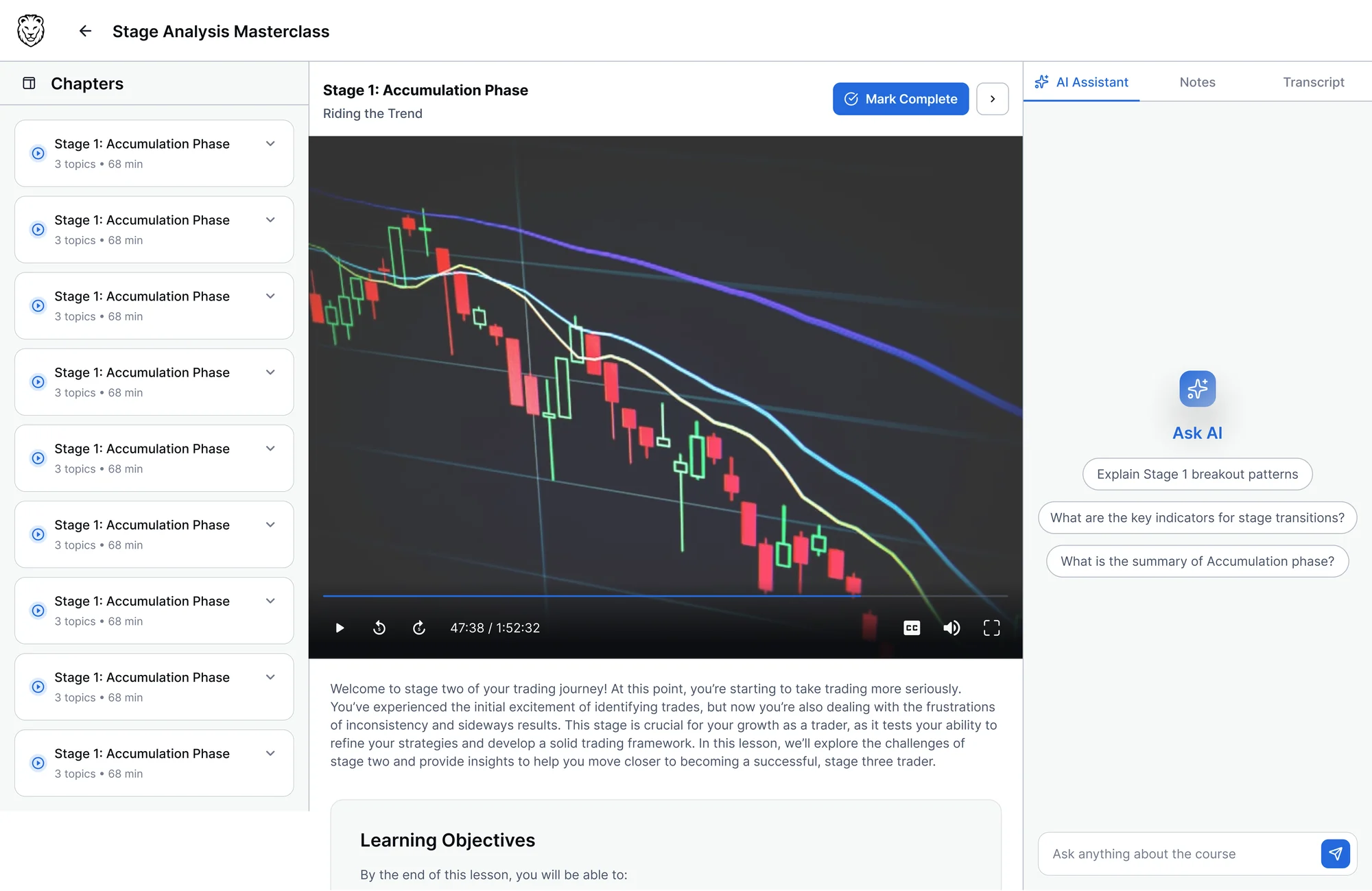
A platform designed end to end, in three weeks
A new learning product defined from structure to interface, replacing a WordPress site with no connected course experience.
Fewer steps to get course-specific help, because the AI works from the lesson you're in.
Core AI workflows across the product: the AI Hub, specialised mentors, in-lesson help, and saving answers to notes.
Bringing learning, AI assistance, and note-taking into one place
TraderLion is a trading education platform with courses, video lessons and trading experts. I designed a new platform that connects them with AI help.
Information architecture
How courses, learning tools and AI features fit together.
AI Hub and AI mentors
Content recommendations, mentors, and help inside courses.
Learning workflows
Onboarding, transcript interactions and note-taking.
Reusable interface patterns
The components the platform is built from.
There was plenty to learn, but no connected way to learn it
The old platform was a WordPress site. It had the content, but no clear way to move through courses. Videos, materials, questions and notes all lived in separate places.
Learning was fragmented
Learners left the platform to look up concepts.
Questions lost their context
Asking about a lesson meant switching tools and explaining it again.
Information was hard to revisit
Notes and explanations were scattered.
Learning stayed passive
Watching videos offered few ways to engage.
No access to users, so I worked from what was available
Short timeline, no design system, and no traders to interview or test with. I used the existing platform, stakeholder conversations, and a review of how learning and AI products handle structure, discovery and in-lesson help.
| Reviewed | Content structure | Discovery | In-task assistance |
|---|---|---|---|
| Coursera | Strong course hierarchy | Catalog-led | Separate from lesson |
| Khan Academy | Clear progression | Subject-led | Practice, not Q&A |
| Udemy | Flat, varies by course | Search-led | Q&A threads |
| Uxcel | Tight, modular | Skill-led | Quiz-based |
| ChatGPT / Claude | None | Conversation-led | Always available |
Does it well · Gap for a learning product
Content needed a clearer structure
Learners should be able to find courses and move through them without jumping between pages.
AI needed more than one entry point
Exploring a topic and asking about a lesson are different tasks. The platform had to support both.
Answers should be easy to keep
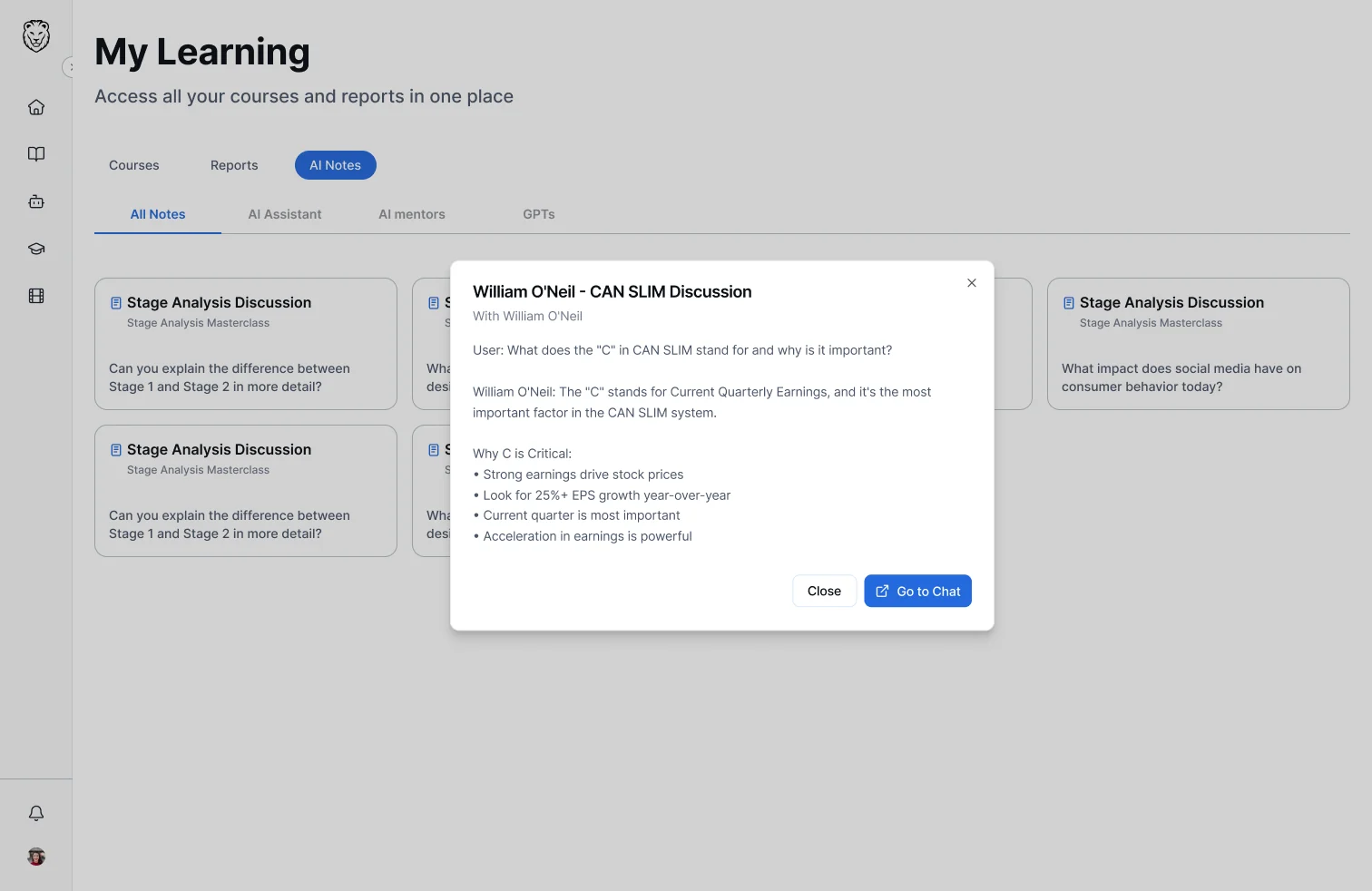
Useful explanations should become part of the learner's own notes.
These were working assumptions from research, not findings tested with users.
From separate learning tools to one connected system
I organised the experience around three activities: finding something to learn, getting help while learning, and keeping what's worth revisiting.
Make learning easier to navigate
Give courses, lessons, mentors, and learning tools a clear place within the product.
Bring assistance into the learning flow
Let learners ask about what they're studying without switching context.
Make useful information easy to keep
Connect AI answers, transcript selections, and personal notes.
Two decisions shaped the product.
AI needed a place of its own, and a place inside the course
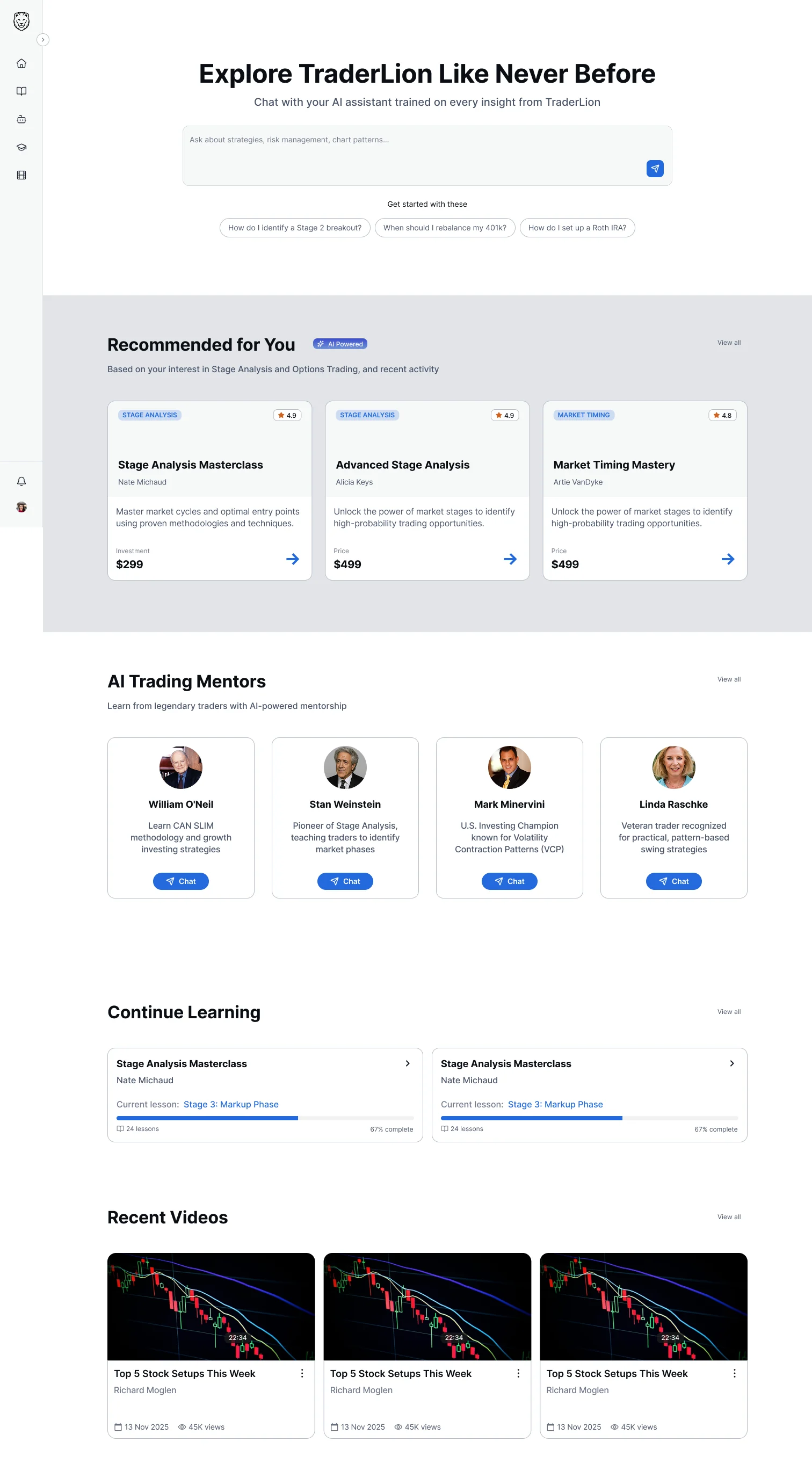
TraderLion's library is large, and people got lost in it. The AI Hub recommends the courses and videos from that library that match what someone is asking, so they get to the right content without browsing through everything.
Someone watching a lesson needs something different: help with what's on screen. So the assistant also lives inside the course.
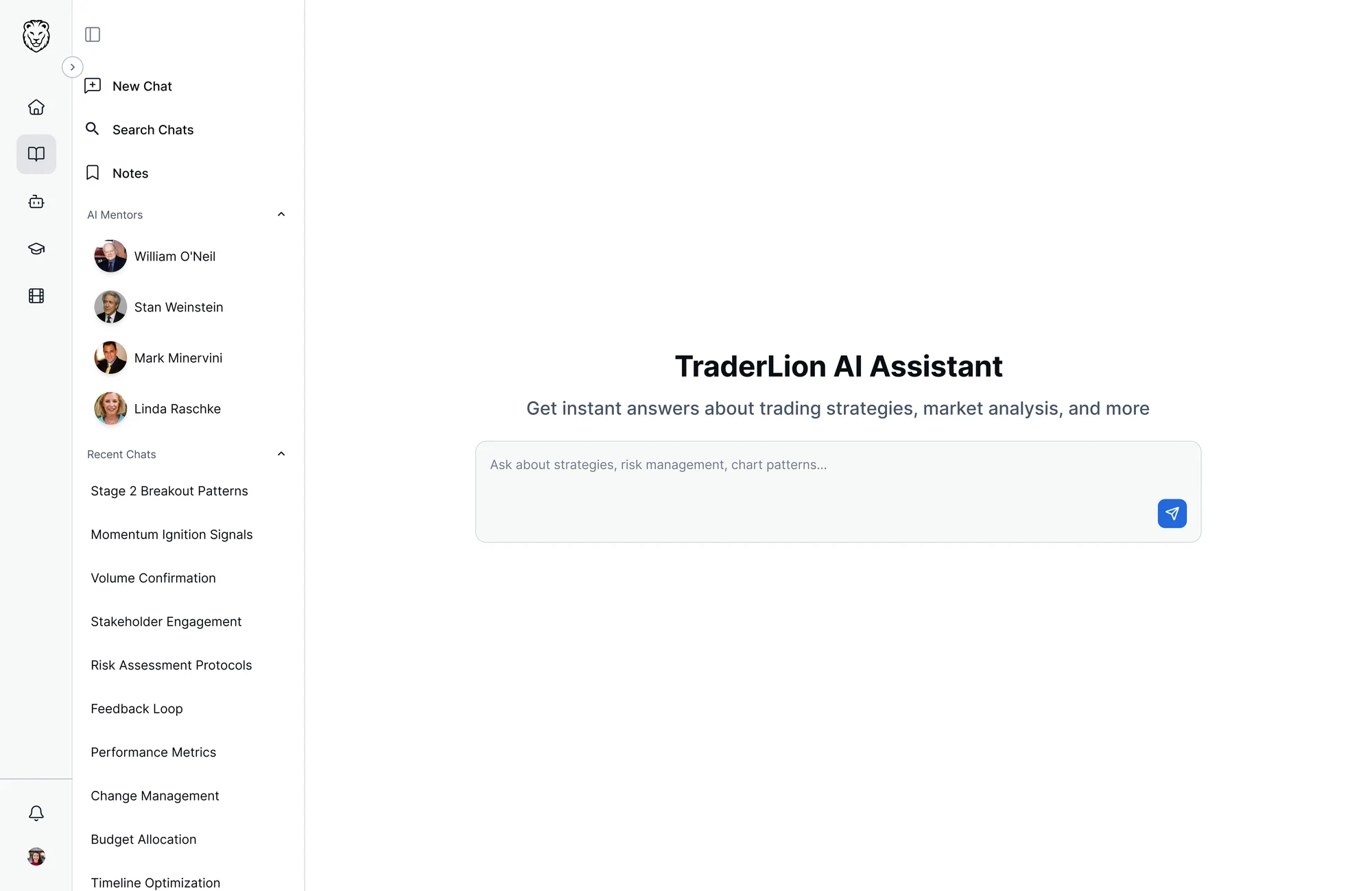
The AI Hub gives people a way into TraderLion's content. The in-course assistant answers questions during a lesson. Both share the same notes.
A question should carry its context with it
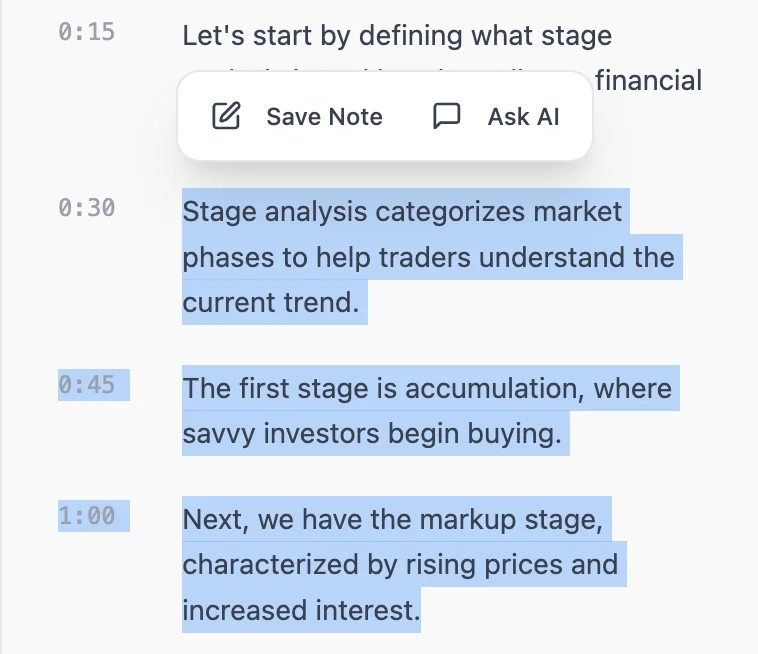
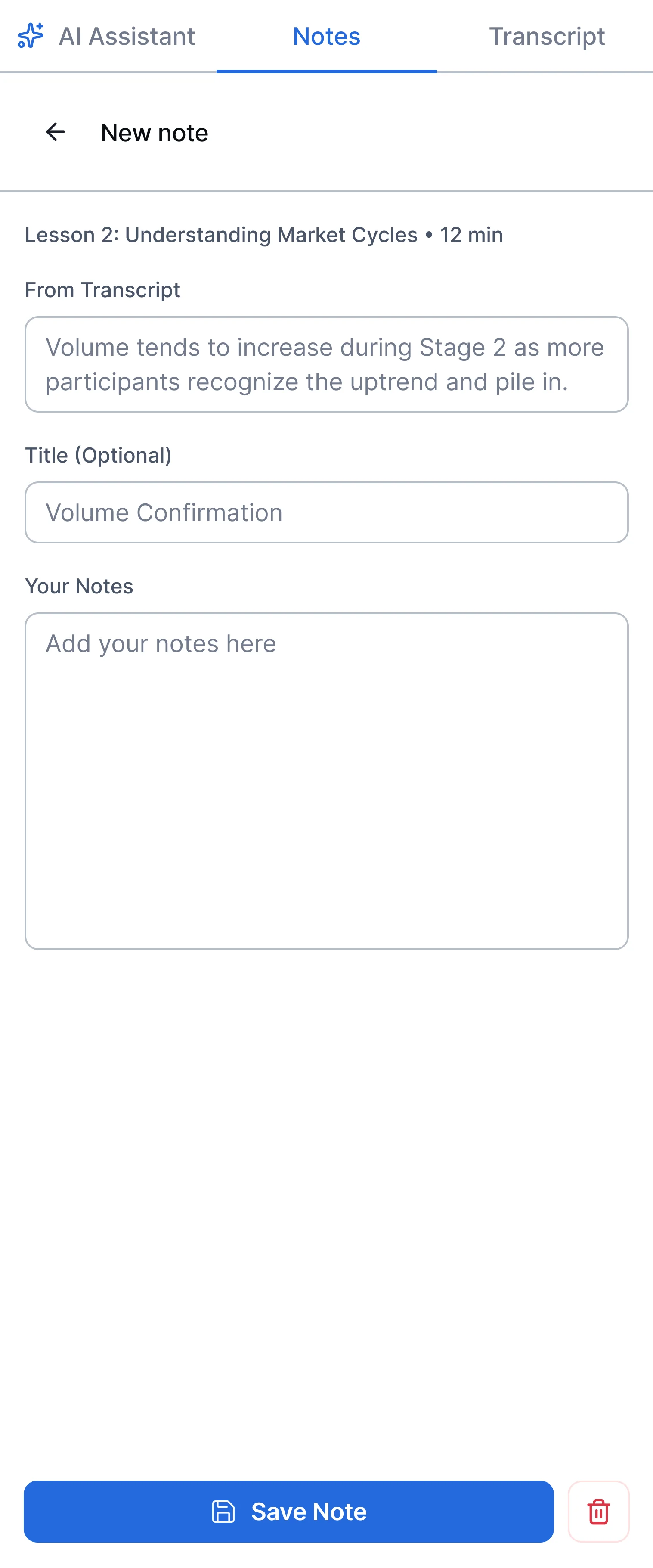
Opening a separate chat means re-explaining where the question came from. Instead, learners select a line in the transcript, choose Ask AI, and the line goes with the question.
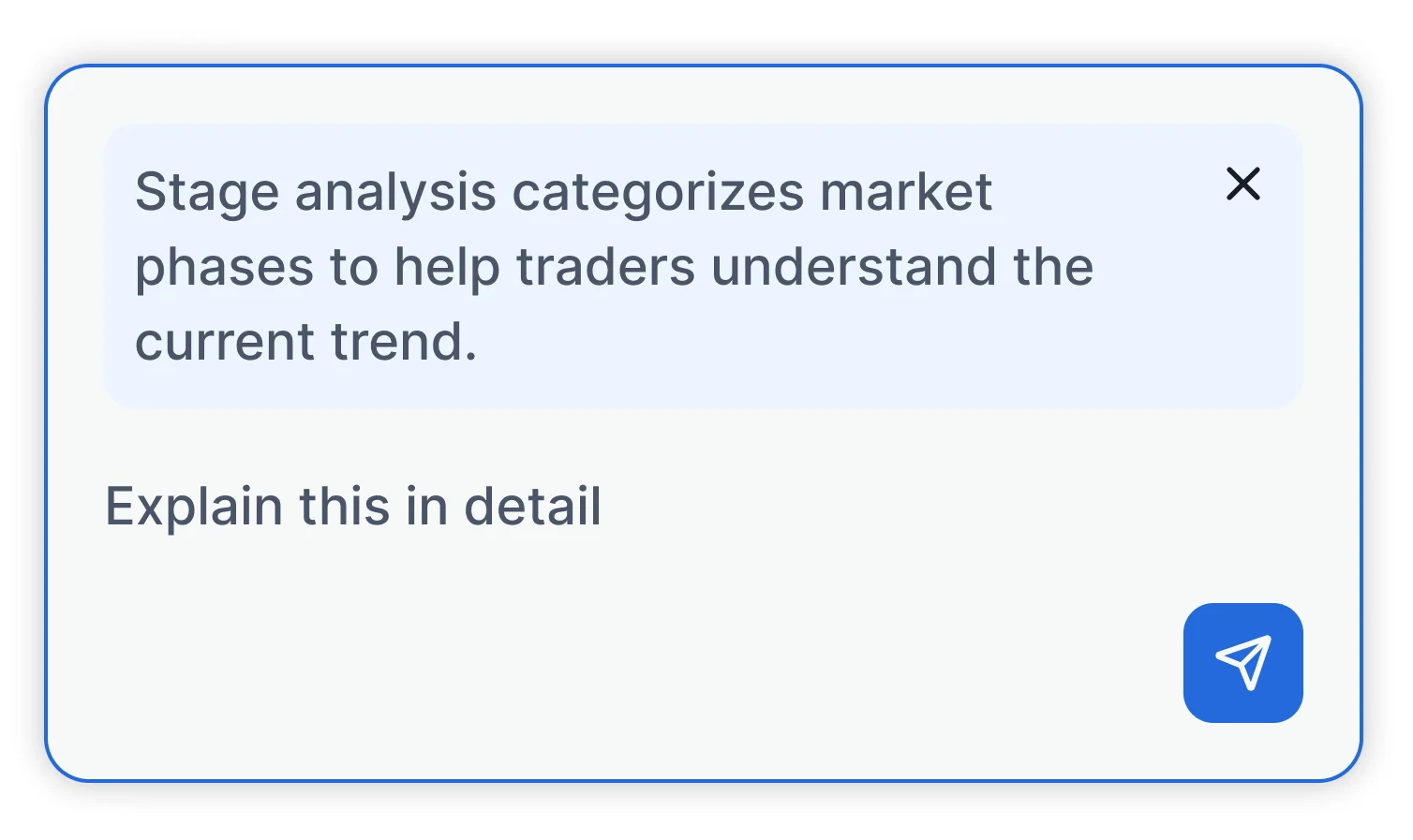
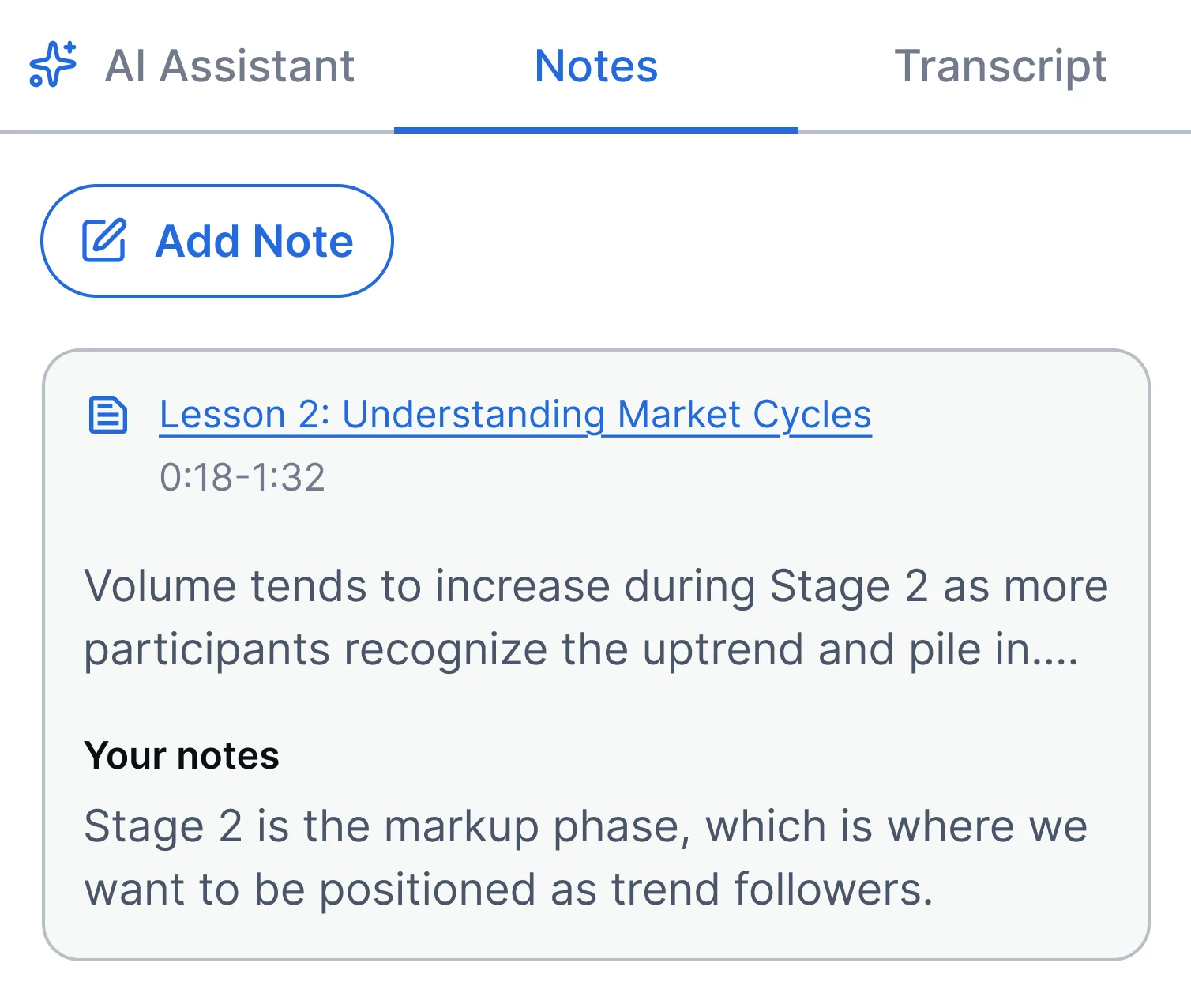
Watching, asking and taking notes became one path instead of three separate steps.
The product changed as we worked through the details
Working with stakeholders and engineers, these additions changed the product.
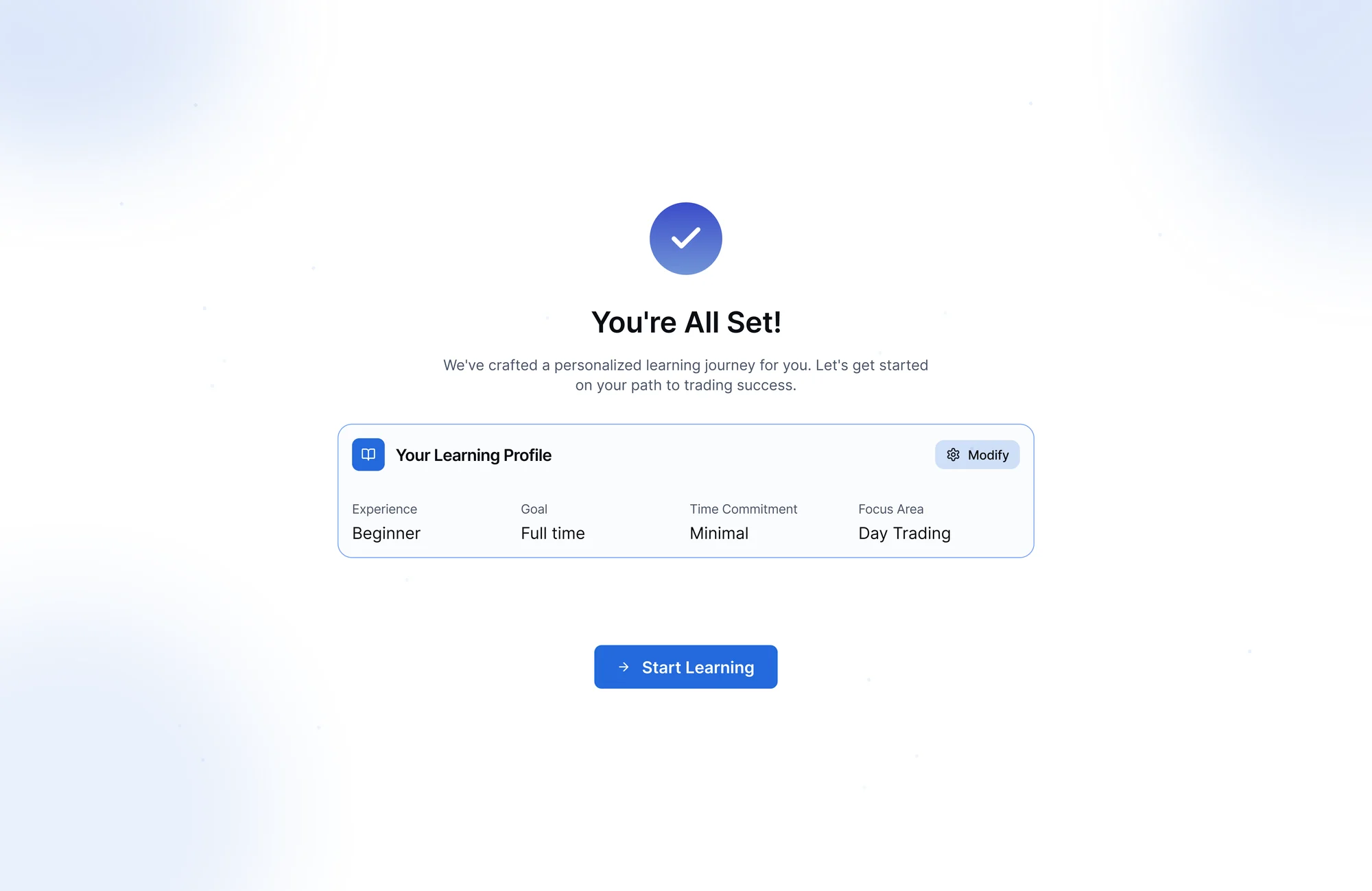
Onboarding
A short questionnaire on background, goals and level, so the platform knows the learner first.
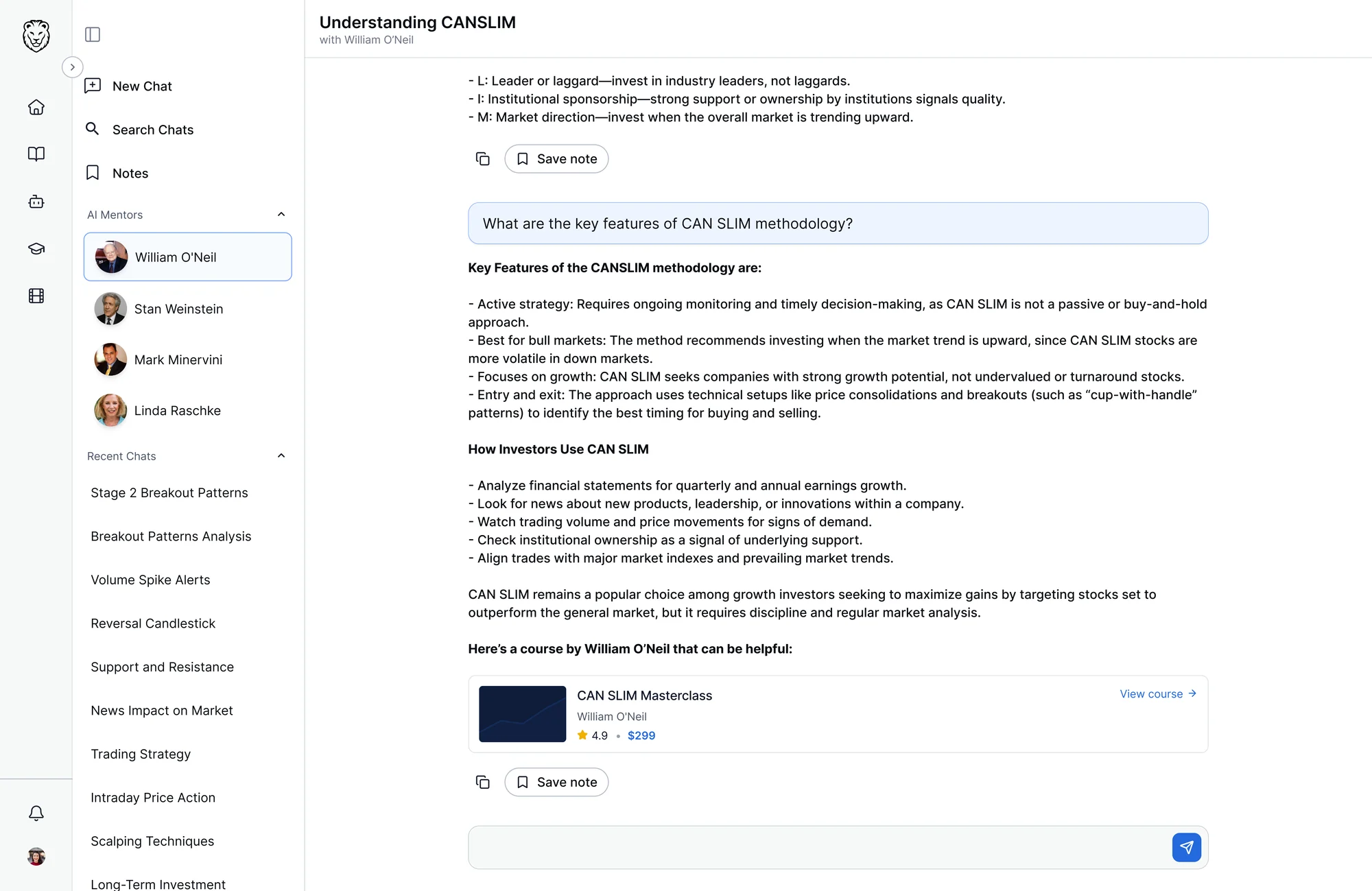
AI mentors
Mentors for different areas of trading.
One place to learn, ask, and revisit
Courses, AI mentors, in-lesson help and notes, in one platform.
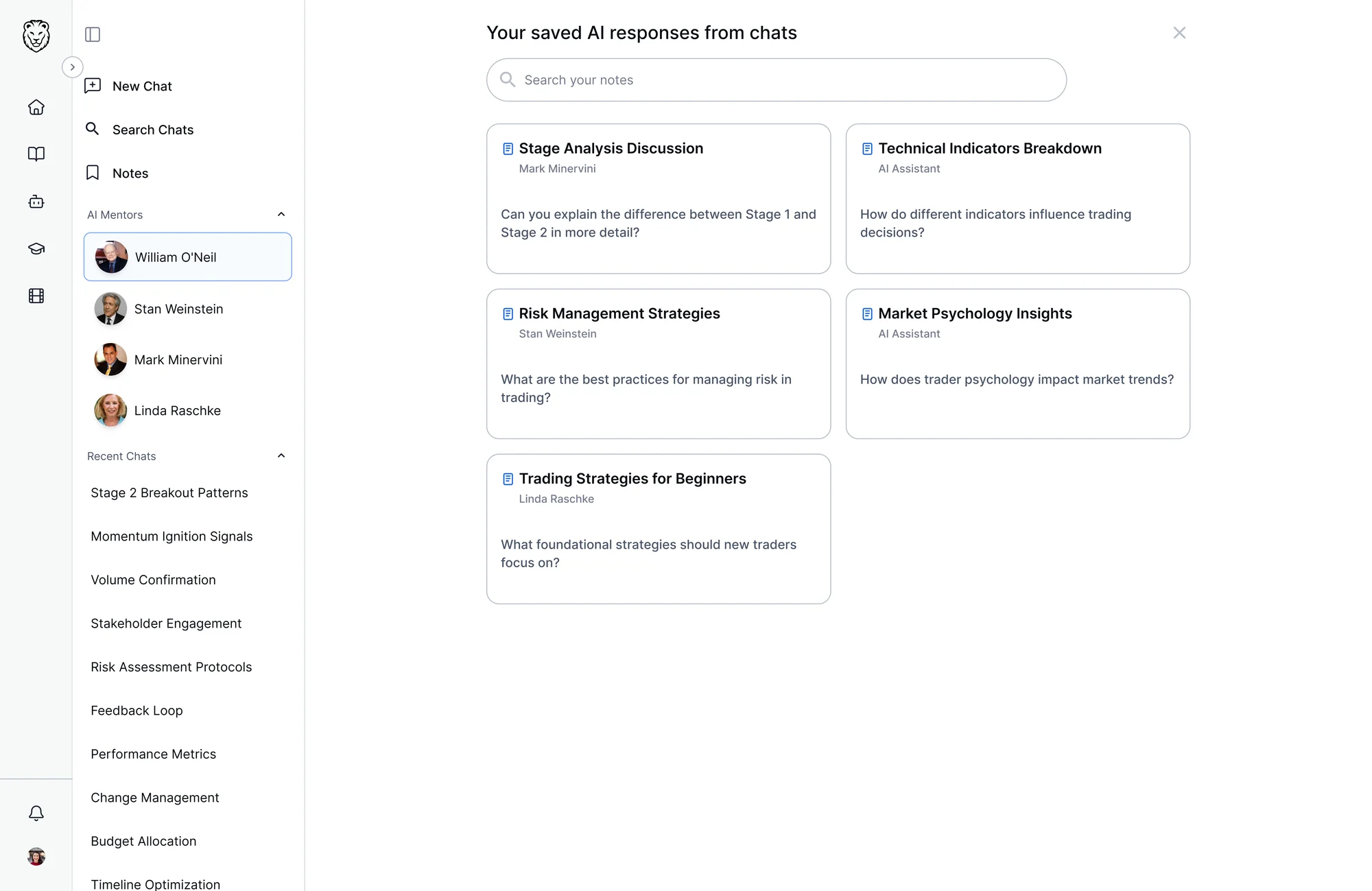
A shared interface system
Reusable components keep the platform consistent across different kinds of content.
Room to grow
New course formats and AI features can be added without reworking the structure.
What came out of three weeks
The foundation of a new learning platform, bringing together features that were scattered before, or didn't exist yet.
Without access to traders for testing, I couldn't measure whether retention, completion or engagement improved. The design is a foundation for testing that.
What I learned
Breaking from traditional design process took adjustment
AI was part of both the product and the process. Claude and Figma Make were getting better at the time, so I experimented with them to see where they could speed things up.
Structure needed more flexibility
Every course had its own sections, so one template didn't fit. I added structure where it helped and left the rest flexible.
States should start earlier
I started thinking about states across the platform late in the project. When you're building a system for a large product, that thinking needs to happen much earlier.
I loved every bit of this project, and went on to design the mobile app.
Do learners understand the Hub vs. the in-course assistant?
Do transcript questions actually save effort?
Are saved notes useful after the session?
Making AI responses actionable in a trading platform.