Making AI responses actionable in a trading platform
Redesigning Deepvue's AI Chat Terminal to connect stock research, personal watchlists, and repeatable trading workflows.
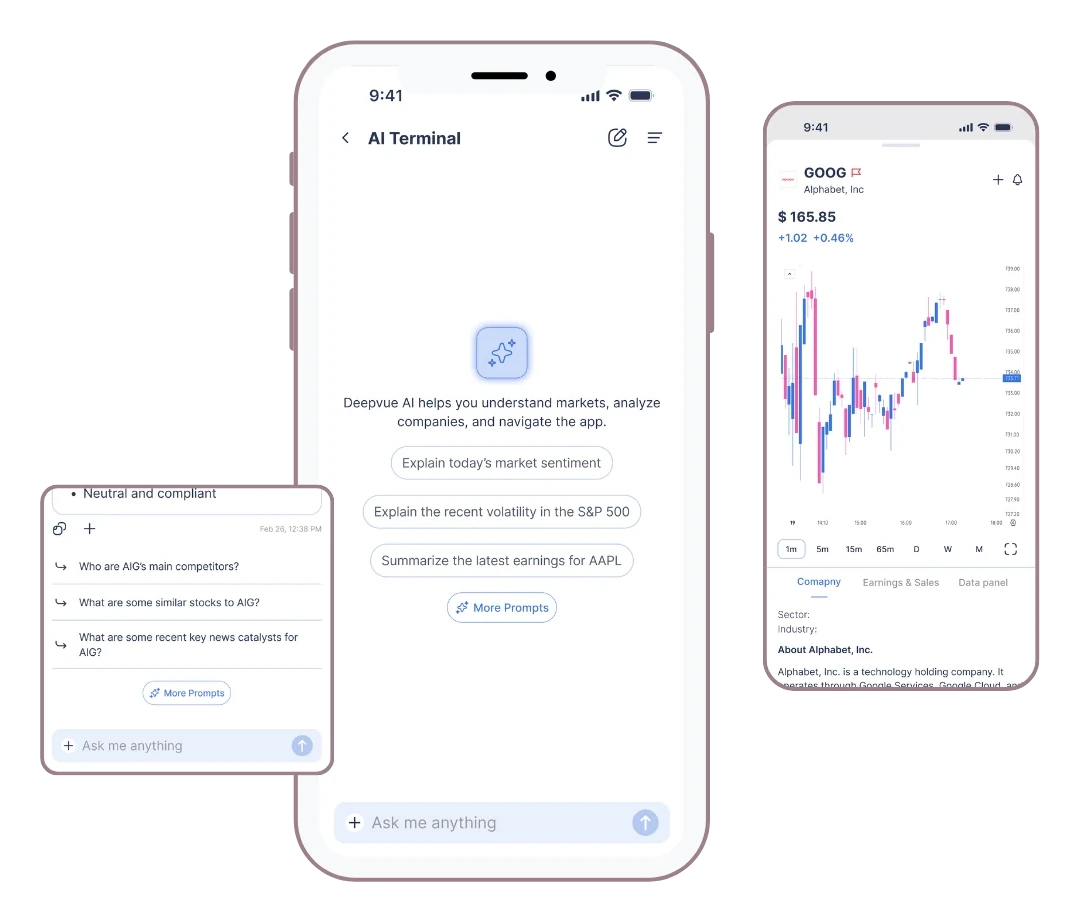
Moving beyond a question and answer experience
Deepvue is a stock research and trading platform for US markets. Its AI Chat Terminal could answer questions, but traders still had to find, save and follow up on the stocks it mentioned somewhere else.
I worked on bringing those actions into the conversation.
Interactive ticker chips
Tickers you can tap, with a stock view.
Watchlist actions
Saving a stock straight from a response.
Context in prompts
Attaching watchlists, screeners and saved sets.
Prompt library
Creating, saving and reusing prompts.
Reusable UI patterns
Iterated through internal testing and engineering feedback.
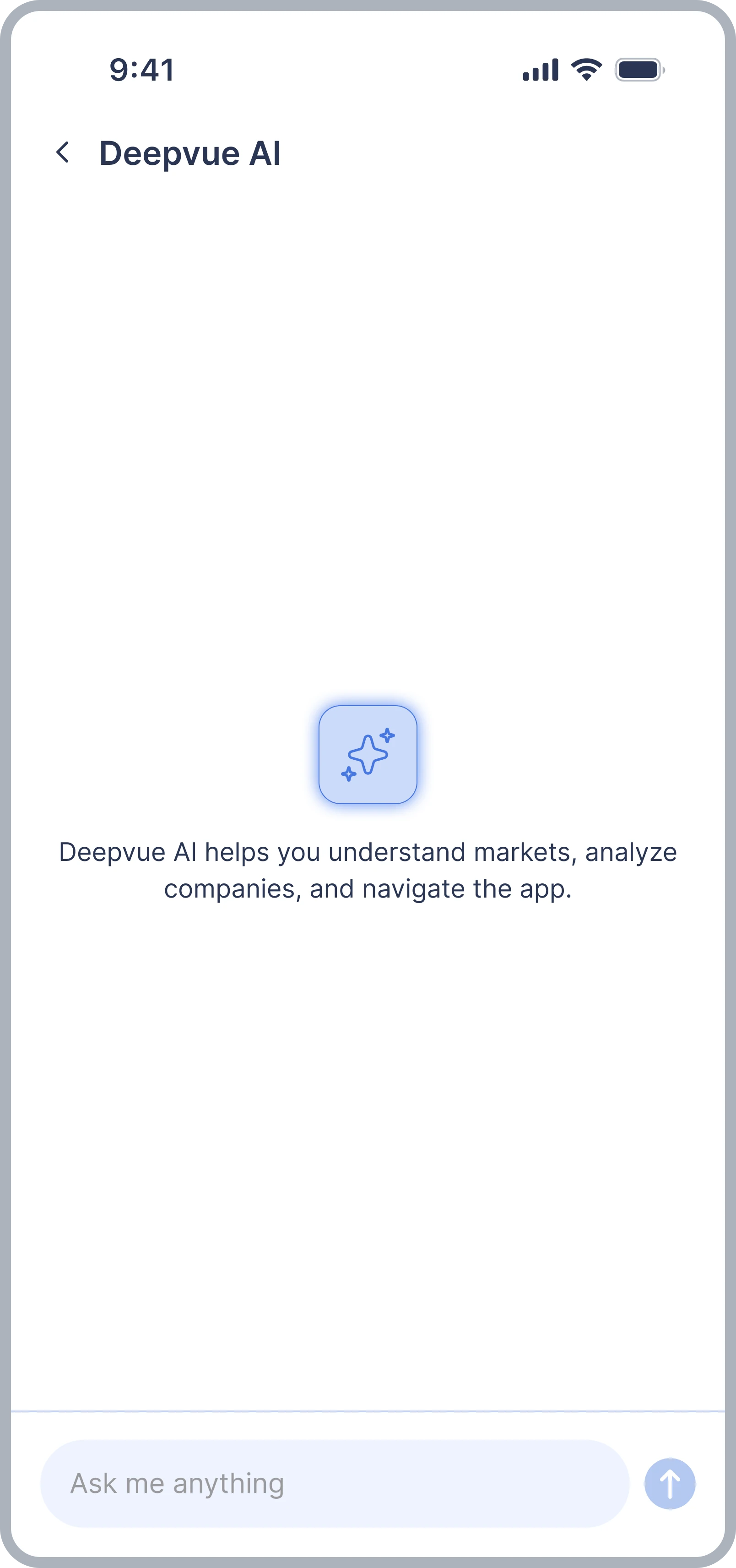
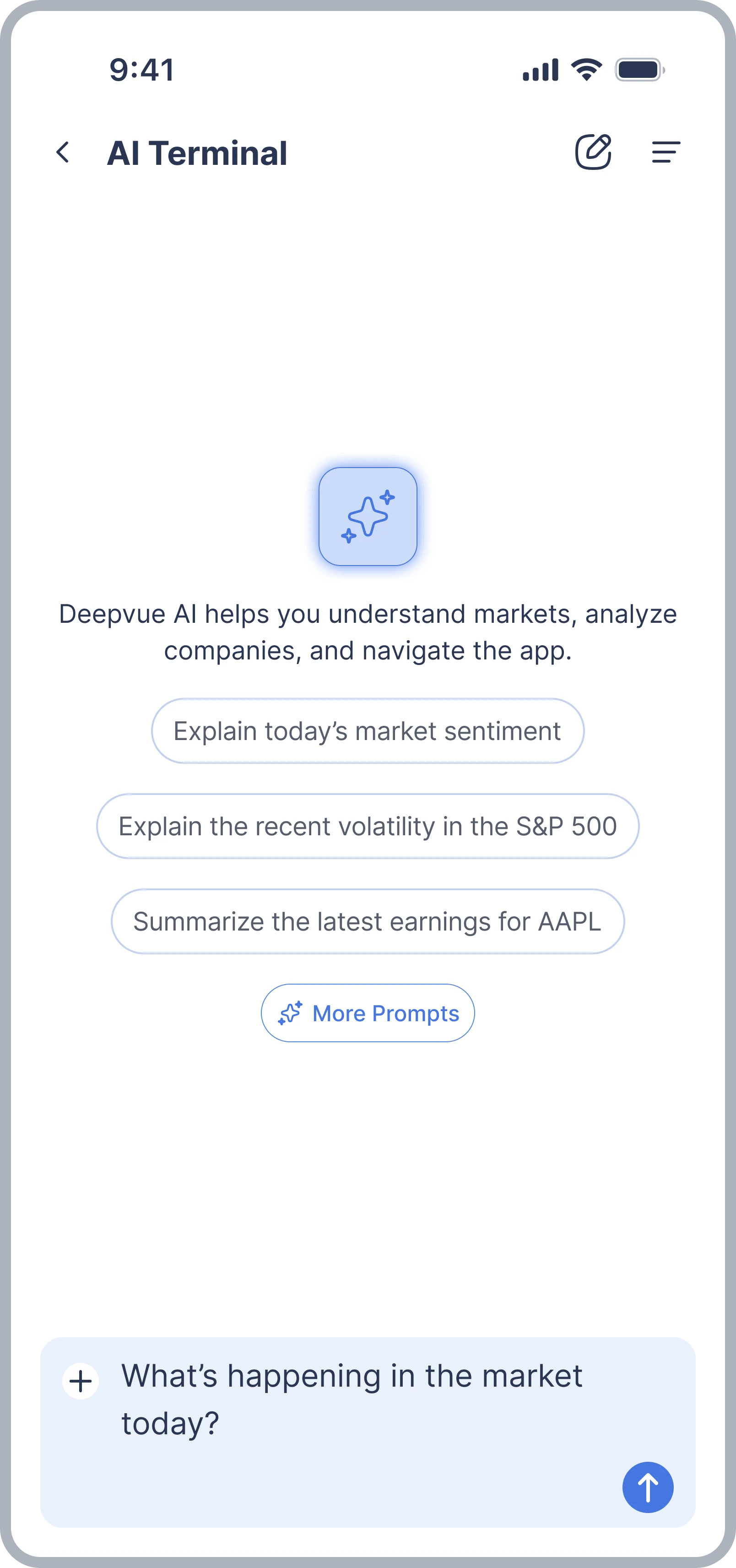
The AI could answer questions. Users still had to do the rest.
The first version of the AI Chat Terminal was mainly a question and answer interface. Users could ask a question, read the response, and copy the output. When the answer mentioned a stock worth exploring, the next steps happened outside the conversation.
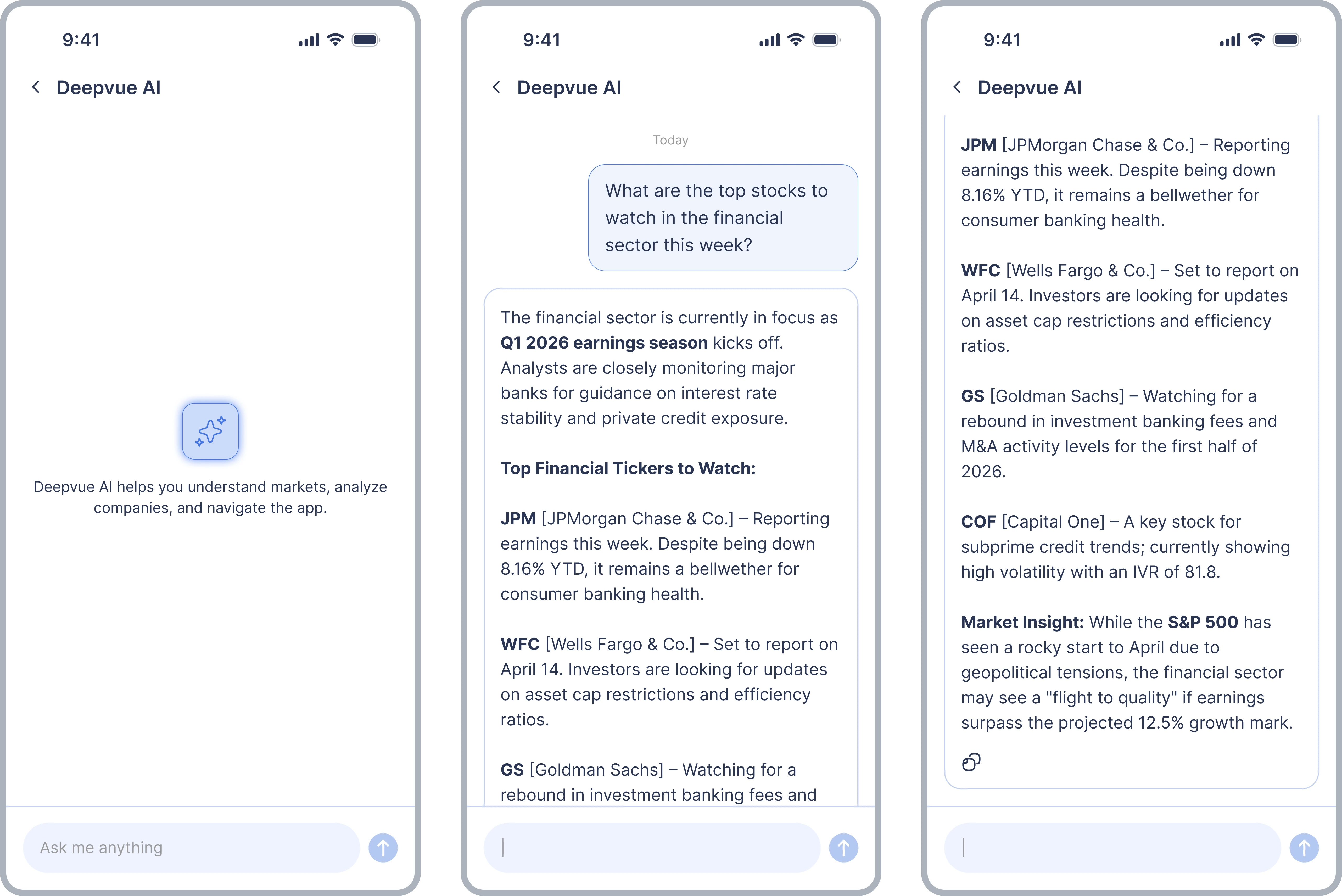
Stock mentions weren't actionable
When a response mentioned a ticker, users had to search for it elsewhere in Deepvue to see more.
Follow-up actions interrupted the workflow
Even saving a stock meant leaving the conversation and going to another part of the platform.
AI lacked the user's trading context
Users couldn't reference their saved watchlists or screeners when asking questions.
Repeated questions meant repeated effort
Users had to type out prompts they came back to, even when the research task was similar.
I started by looking at what users needed to do next
Rather than treating the chat terminal as a standalone feature, I looked at how its responses related to Deepvue's existing research workflows.
A trader reading an AI answer might want to look at a stock, save it to a watchlist, ask a question about their holdings, or repeat the same analysis later. These follow-up actions were the starting point for finding where the terminal could be more useful.
Explore a stock without searching again
Turn stock symbols in responses into direct entry points for research.
Save a stock without leaving the conversation
Offer watchlist actions where the user finds something relevant.
Ask questions using existing trading data
Let users include their saved watchlists, screeners, and sets as context.
Make recurring research easier
Save and reuse prompts instead of rewriting them every time.
Deepvue already had interaction patterns for showing stock information and managing watchlists. I used them as a starting point, so the AI experience stayed connected to the rest of the platform instead of getting a separate interface for every action.
Keep the conversation, but bring the next action closer
One of the main questions was how much to put inside chat. Adding every trading feature to the conversation could make the assistant harder to use, and create a second interface competing with Deepvue's existing tools. Keeping it purely conversational would keep the same disconnected workflow.
Make relevant information interactive
When a response mentions something users can explore, give a direct path to it.
Reuse familiar product interactions
Build on Deepvue's existing patterns for stock details, watchlists, and other trading tools.
Support repeatable research
Make it easier to ask with personal trading context and come back to frequent prompts.
Make it easier to move between the conversation and the trading tools, without putting the whole platform inside a chat window.
Four decisions shaped the terminal.
Stock tickers became interactive
The first terminal treated stock symbols like any other text. To explore a company mentioned in the conversation, users had to leave the chat and search for the ticker.
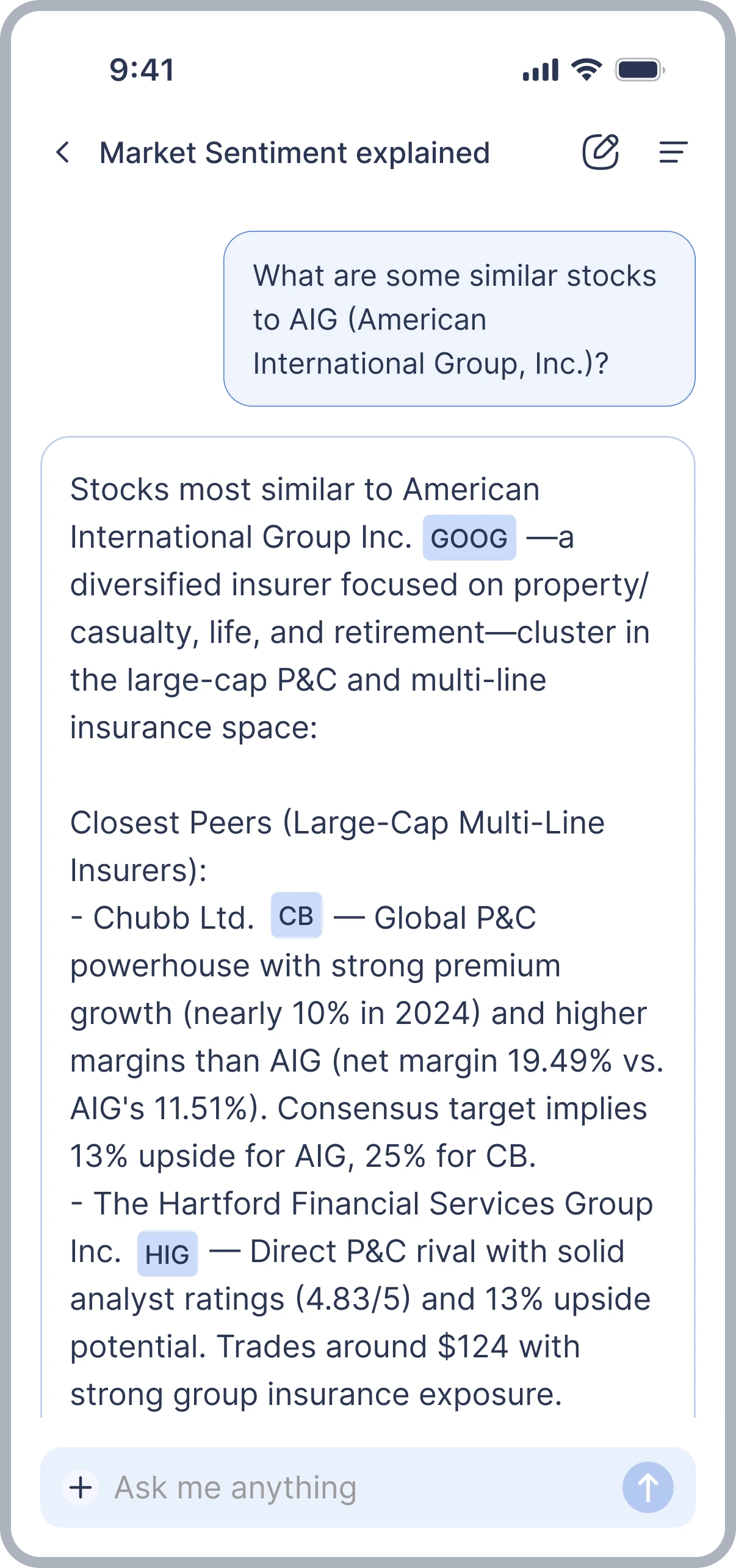
I introduced interactive ticker chips in AI responses. Selecting a ticker opens a glanceable stock view, so users can look at the stock without searching for the symbol.
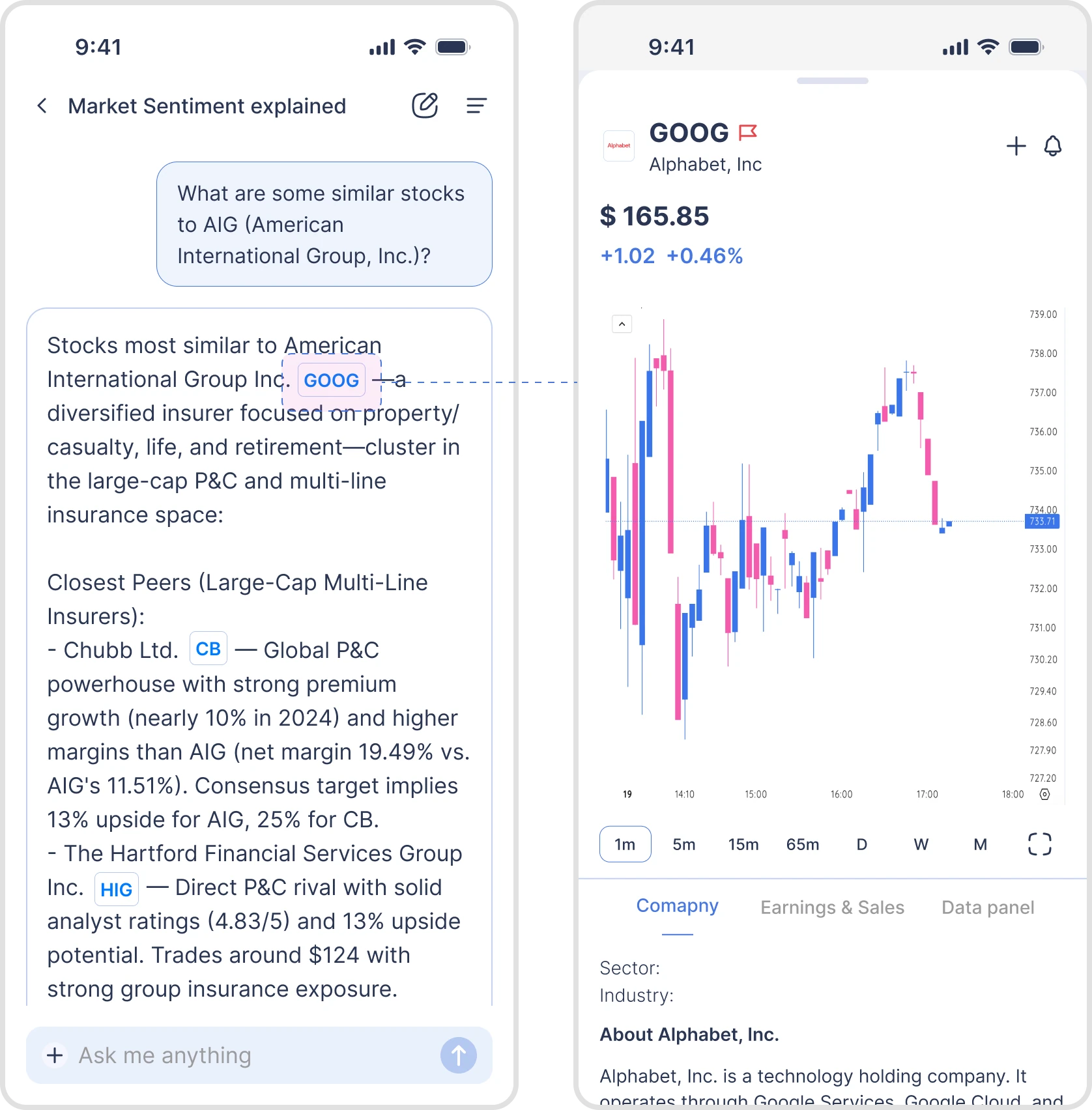
Deepvue already used glanceable views for stock information elsewhere in the platform. Reusing that pattern made the behaviour familiar, and let users inspect stocks without turning each response into a pile of data panels.
The ticker became a direct link between the assistant's response and Deepvue's existing research tools.
Let users act on an insight without leaving chat
When a trader finds a relevant stock through AI, they may want to save it for later rather than look at it right away. Before, that meant going to a watchlist separately.
I designed an interaction that lets users add a ticker from an AI response directly to their watchlist.
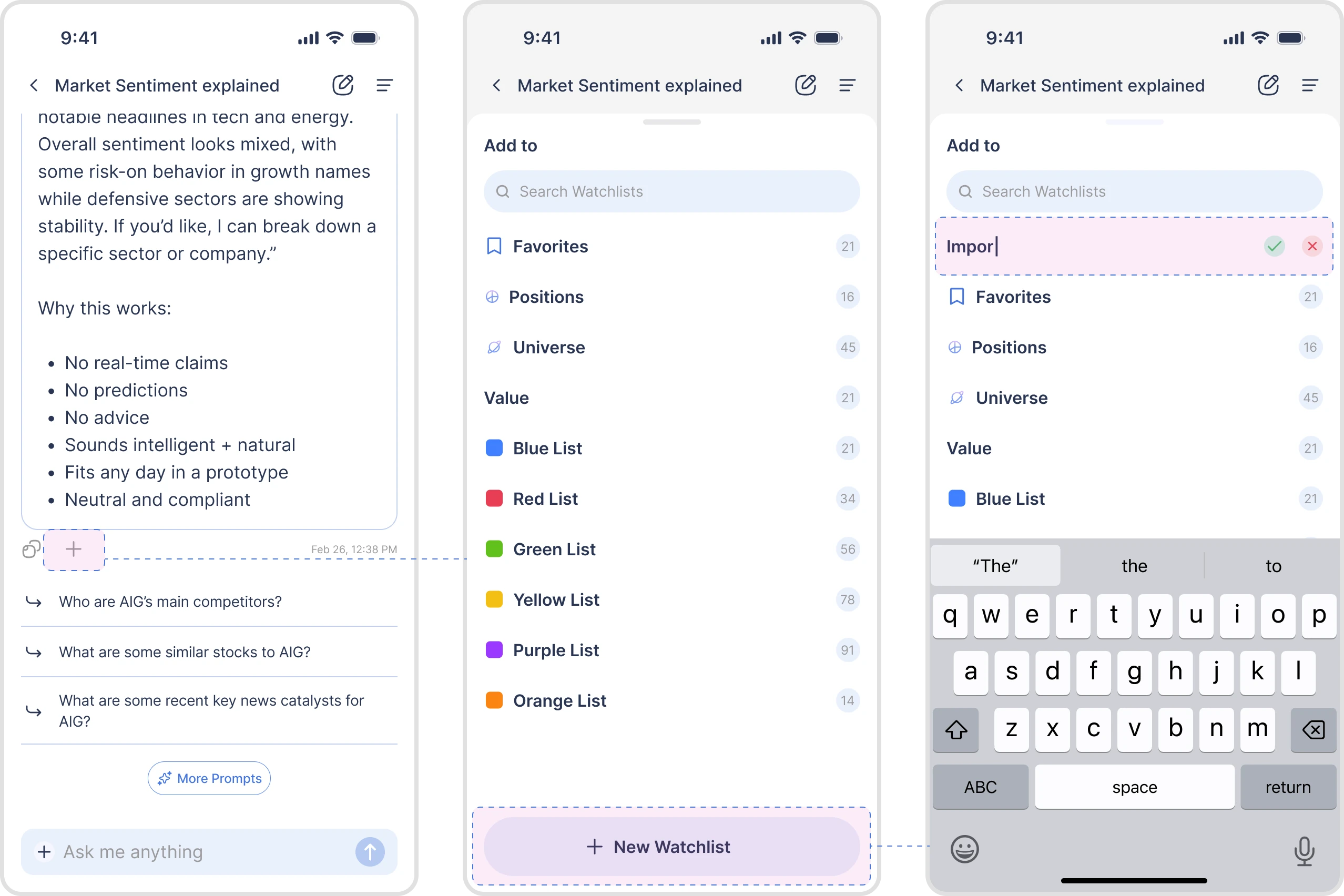
The action is available when the stock is relevant. Users don't have to remember a ticker or repeat the action somewhere else.
Part of a broader shift: AI answers you can use inside the product, not just read.
AI needed the user's own trading context
Trading questions are often about the stocks a user follows or the conditions they've saved. Without that context, users would have to describe their setup every time they wanted a more personal analysis.
I designed a way to attach existing watchlists, screeners, and saved sets to an AI prompt, so the conversation starts with information already in Deepvue.
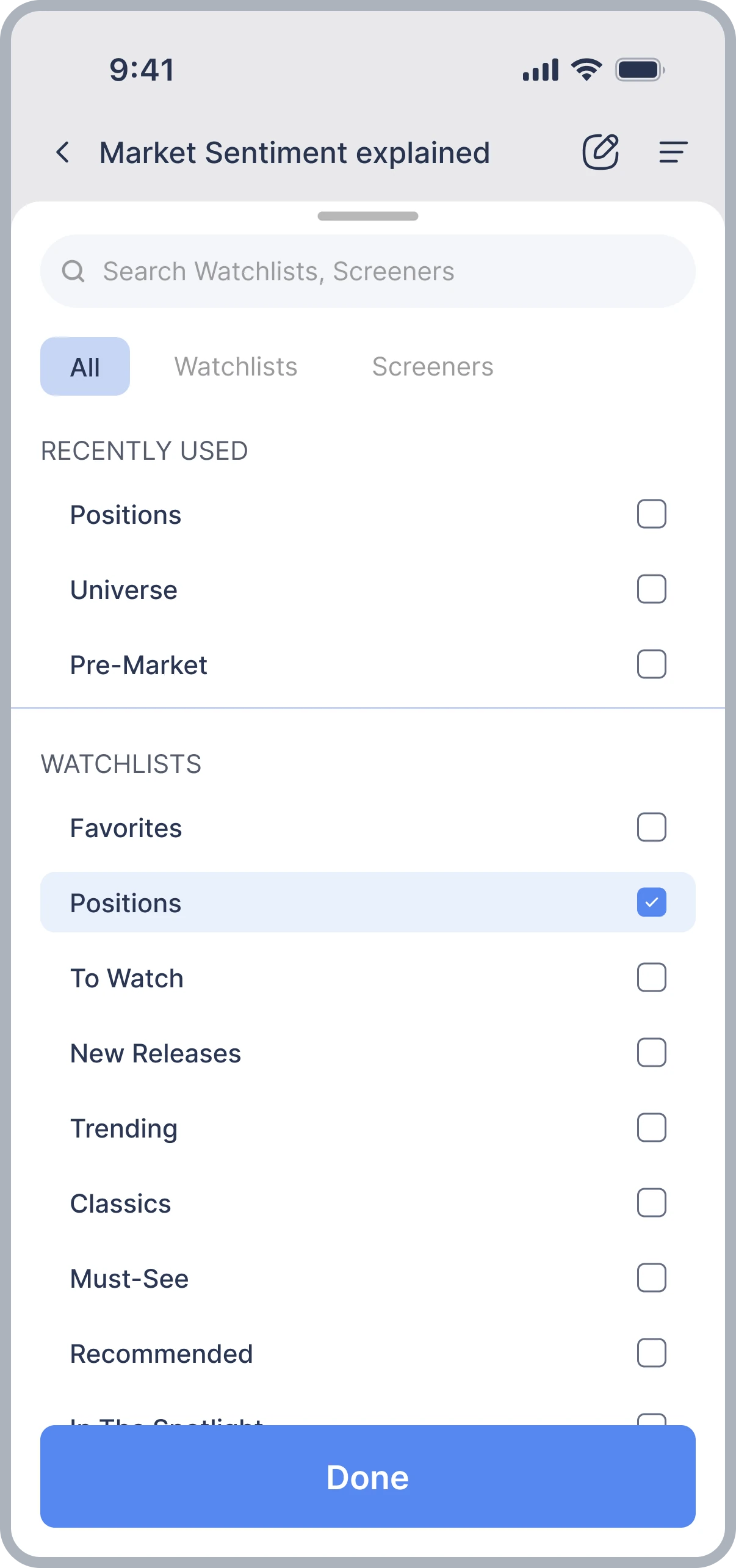
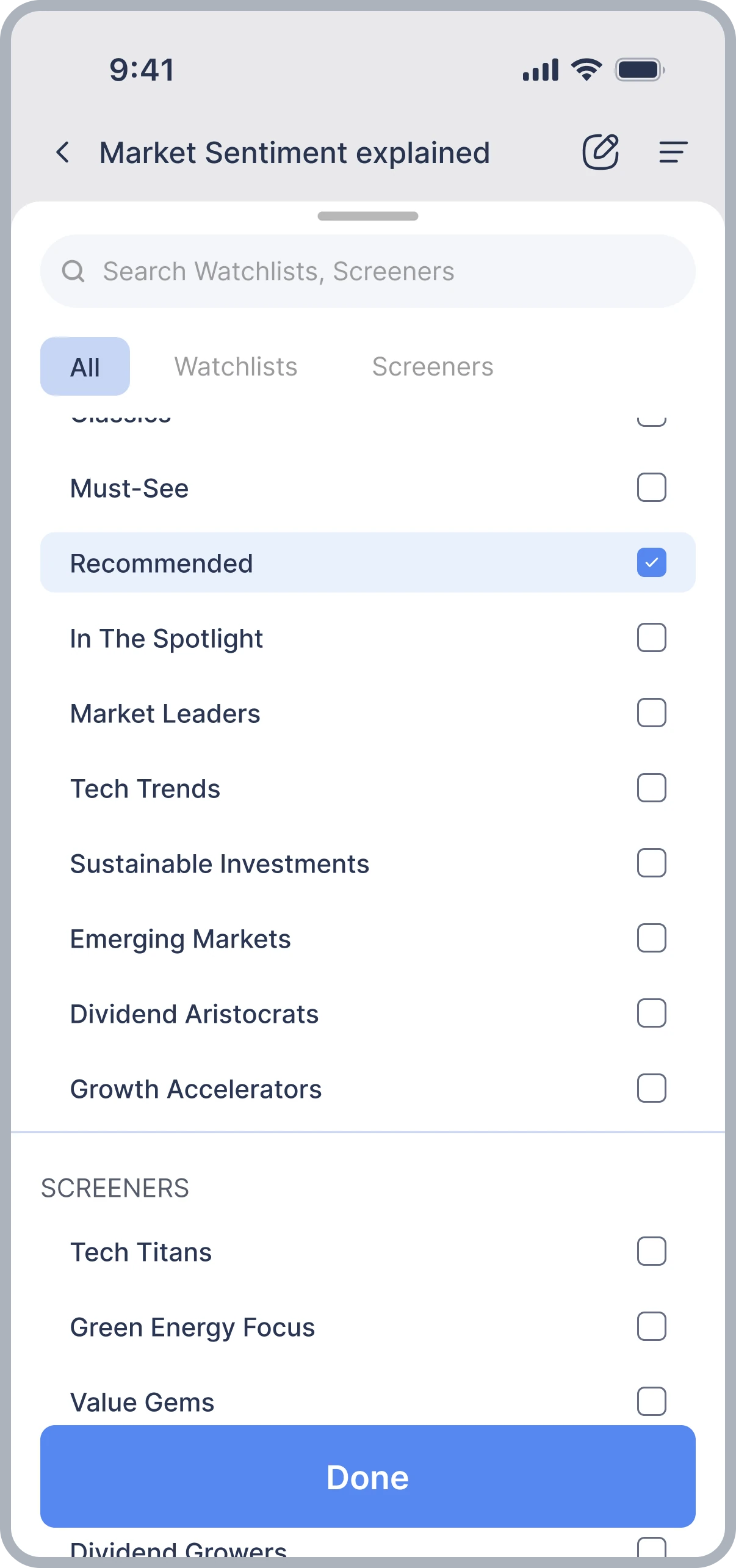
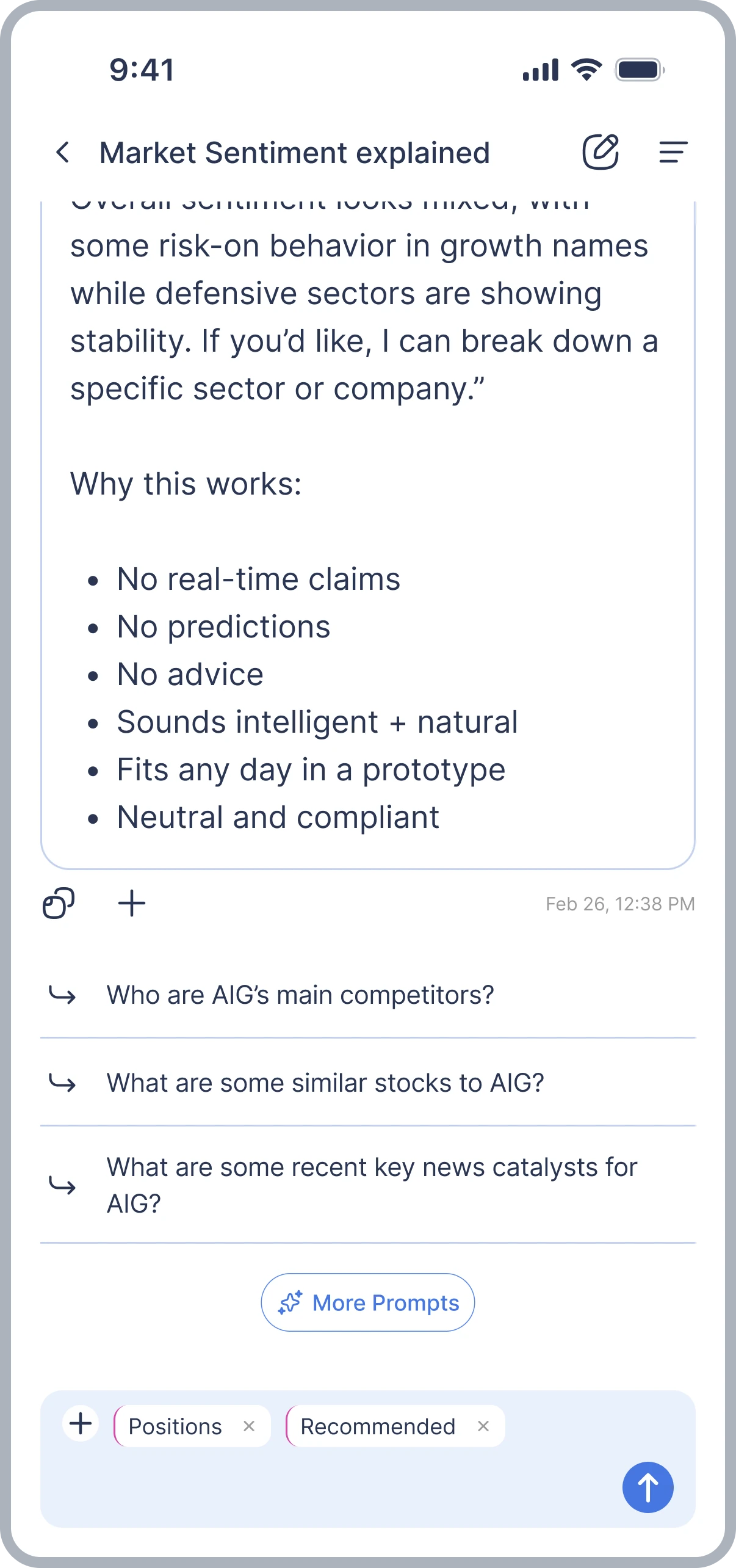
Users choose which data informs their question, and the link between their saved tools and the conversation stays visible. They don't need to keep typing out the stocks or conditions they care about.
Context is something you attach, and can see, not something you retype.
Make recurring research easier to repeat
Not every conversation starts with a new question. Some are part of recurring workflows: a familiar analysis, or a similar question with updated information. Typing the same prompt again adds effort.
I designed a prompt system for browsing curated prompts, creating new ones, saving them, and coming back to them later.
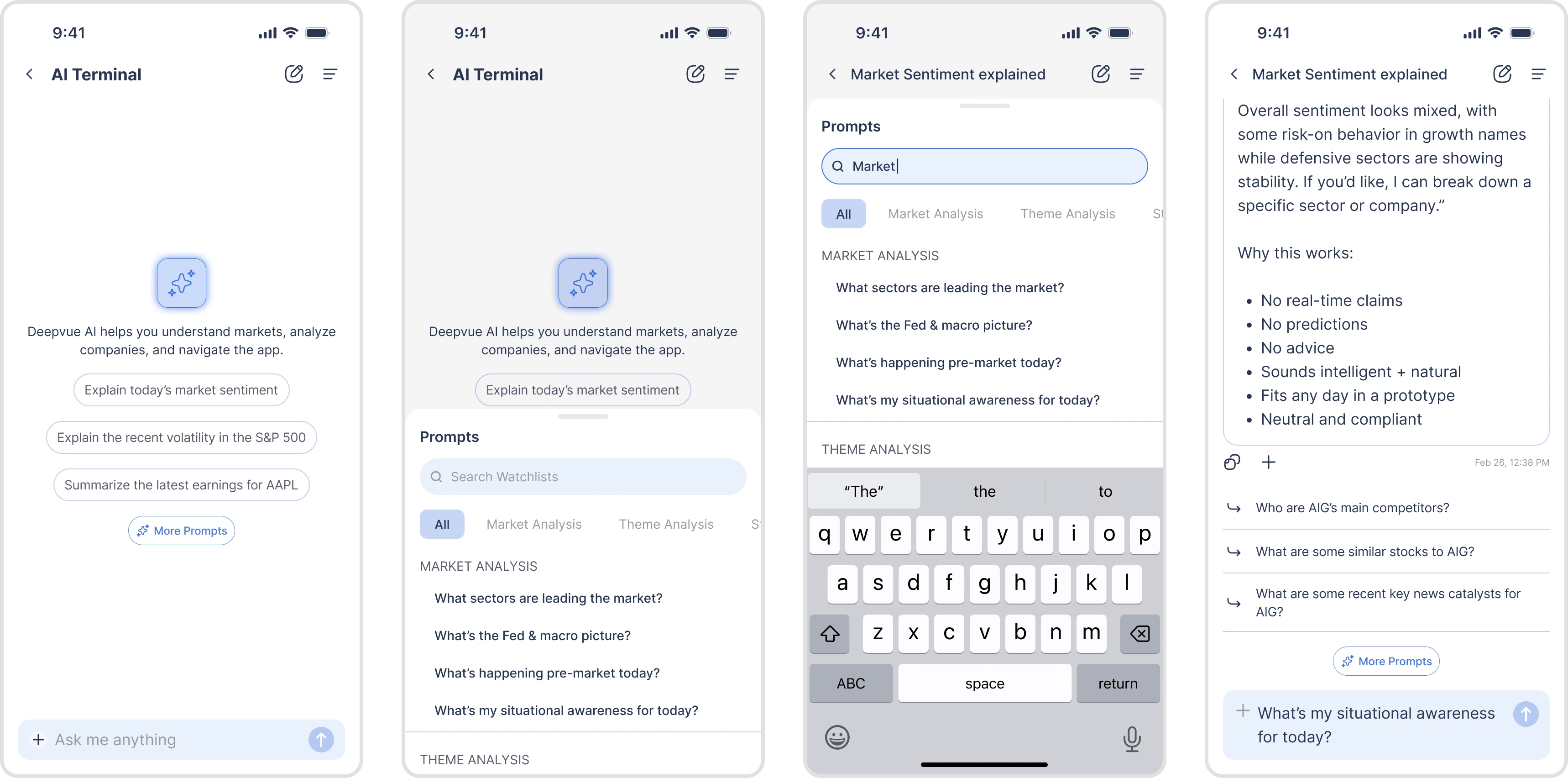
Users can start from a saved prompt instead of an empty input. It also gives the terminal a role beyond single conversations, because it supports repeated use.
A connected interaction system
Together, these move the terminal beyond a standalone chat. Users can explore information, act on relevant stocks, and bring their research context into the conversation without starting over.
The terminal evolved through several phases
The experience grew in phases, as new connections between AI and Deepvue's trading tools were added.
A text-based assistant
Ask, read, and copy. The assistant gave information, but most follow-up actions happened elsewhere.
Connecting responses to actions
Tappable tickers, glanceable stock details, and watchlist actions. Less searching after an answer.
Context and repeatable workflows
Attaching watchlists and screeners to prompts, and a library for saving and reusing prompts.
Across the phases, the approach didn't change: add useful actions where they were needed, and keep the chat recognisable and connected to Deepvue's existing patterns.
Fewer steps between an AI response and the next action
The redesigned interactions made it possible to do several research actions directly from the AI terminal.
The team picked three behaviours to follow as signs of whether the new interactions were useful.
Ticker interactions
Users opening stock details directly from AI responses.
Watchlist actions
Users adding stocks to watchlists from chat.
Prompt reuse
Users returning to saved prompts for recurring tasks.
These are early success signals, not measured outcomes.
Before, a user who got a relevant stock had to search for the ticker and go to the right tool to act on it. Now exploring and saving happen in the conversation, so the path from information to the next step is shorter.
A useful AI response shouldn't always lead to another prompt
One of the biggest lessons from this project was recognizing where conversational interaction helps and where a conventional UI action is more effective.
Chat works well for asking questions, explaining information, and exploring possibilities. But repeatedly asking AI to perform straightforward actions can add friction.
Make the output useful beyond reading it
Designing interactive tickers changed how I thought about AI responses. Instead of treating the response as the end of an interaction, I started looking at the actions users might need immediately afterward.
Build on patterns users already understand
Using Deepvue's existing glanceable stock views helped connect the terminal to the broader product. It reinforced the value of working with established interaction patterns rather than creating new ones simply because the entry point is AI.
I'd like to explore more ways for AI responses to include context-aware interface elements, allowing users to take relevant actions without relying on another conversational exchange.
The broader question I'm interested in is how conversational AI and conventional product interfaces can work together without making users choose between them.
Designing an AI-assisted learning experience for traders.