
COMPANY
TraderLion
ROLE
Sole Product Designer
DURATION
3 weeks
TOOLS
Claude Code, ChatGPT, Figma, Figma Make
Context
TraderLion is a trading education platform that offers structured courses, video content, and community to modern traders.
GOAL
The goal was to design a new platform where traders could learn through content, mentors, and AI support in one connected experience.
Outcome
Designed an AI-assisted learning platform that brought structured content, mentor-based GPTs, and in-context AI support into one system.
7
learning actions supported through AI, notes, and recommendations
4+
core AI workflows built into the platform
60%
fewer steps to get course-specific help through contextual AI
The Final Product
We made AI feel native to learning by placing it where users already study, reflect, and revisit content.
AI Hub gave users one central place to explore trading mentors, and general AI support.
AI in courses and videos brought contextual help into the learning flow instead of making users switch tabs or search elsewhere.
TraderLion AI Assistant Hub
A dedicated AI space which acts as a discovery layer for all of TraderLion's content.
WHY
Learners know what they want to understand but they don't always know where in the library to find it. Three entry points into the content ecosystem from one question.


Video and Course recommendations by AI
Save AI Response as a Note
It lets users keep useful explanations and insights from chat as part of their personal learning material.
WHY
By the time a learner remembers something useful from chat, it is often buried inside the conversation. This helps users keep important explanations and insights as part of their own learning material instead of losing them in a one-time interaction.

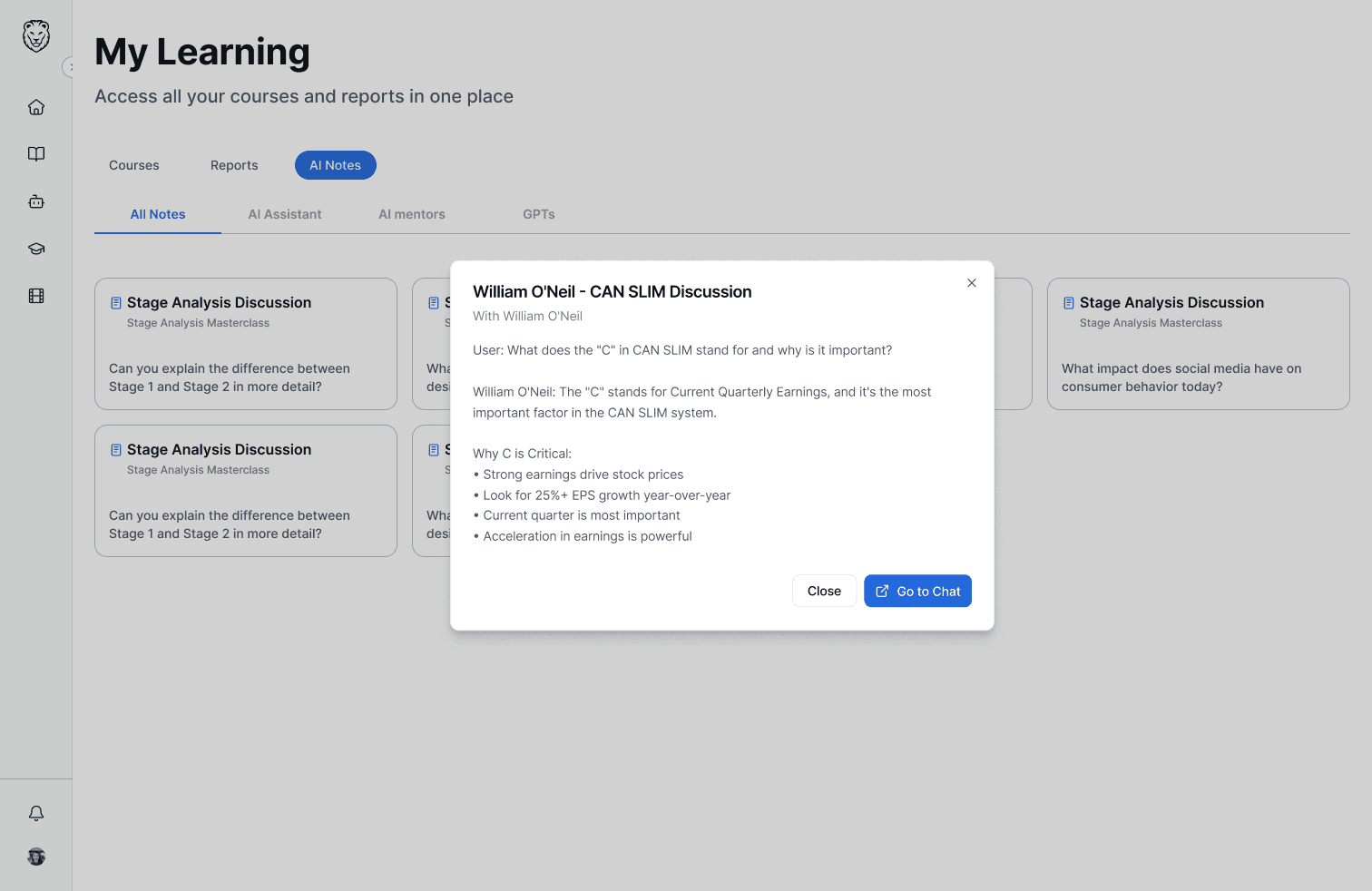
Users can access these notes in AI hub and search through them

They open as a modal and users can go to next note or copy response
Transcript → Ask AI
Selecting a transcript line pre-fills the AI input with that exact text as context
WHY
By the time a learner opens a chat to ask about something they just heard, the context is already degraded. This helps users in getting the exact context from the transcript.

Save Note / Ask AI action menu triggered by text selection
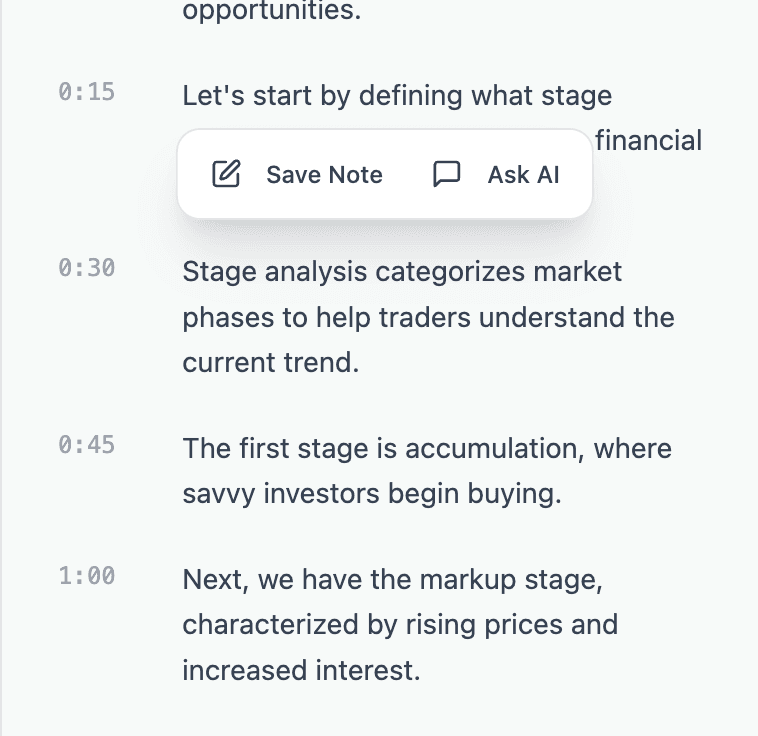
Clicking a single transcript line also triggers the menu.
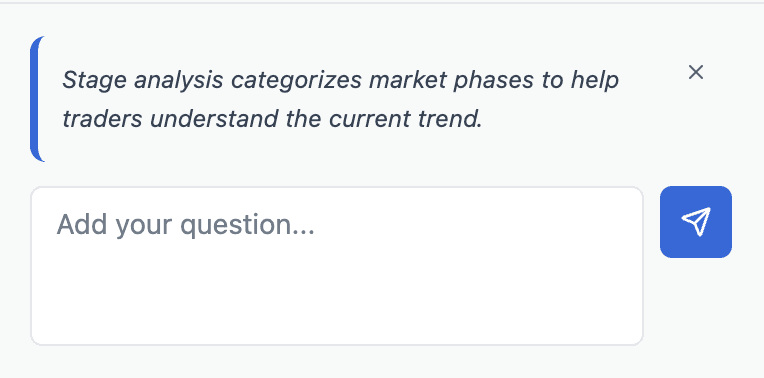
Choosing "Ask AI" takes the selected transcript text into the AI input as context.
Transcript → Your notes
It becomes a discovery layer over all of TraderLion's content.
WHY
Learners know what they want to understand but they don't always know where in the library to find it. Three entry points into the content ecosystem from one question.

Choosing "Save Note" takes the selected transcript text into a new note tab

New note tab

Saved notes tab
AI-first design process
AI Workflow
This project became a way to explore what changes when AI is leveraged across research, structure, design, and prototyping from the beginning.


1. Market & Competitive Research

Mapped the landscape of AI-assisted edtech tools, identifying patterns in contextual help using AI assistant chats.
2. User Research Framing
Without direct user access, used Claude to pressure-test assumptions by identifying what traders would likely struggle with.
3. Feature Clustering & Prioritization

Fed in stakeholder conversation notes and asked Claude to cluster by theme, identify overlap, and flag core vs. nice-to-have.
4. Information Architecture & User Flows
Generated multiple IA options for the learning and AI experience, then evaluated each against real constraints.
5. Prototype Generation
Used Claude Code to generate a working mobile prototype, and Figma Make for the web app.
6. Design System
Used Figma Make to generate initial component structures and visual patterns, then refined manually in Figma.
Content Without Structure
TraderLion’s existing WordPress setup lacked a clear structure for navigating learning content



Problem
Fragmented Learning
Users constantly left the platform to understand unclear concepts
Lost Context
Notes and insights were scattered across platforms, making it hard to review and retain key learnings.
Delayed Clarity
Questions arose during lessons, but users had to wait for community responses or rewatch entire sections.
Passive Consumption
Watching videos and reading PDFs without active engagement led to poor retention & low completion rates.
Constraints I worked with
No direct user access
No direct interviews or usability testing with real traders.
No existing system
No existing design system or reusable foundation to build from.
How might we make AI assistance feel native to a learning environment?
How it all started
I started by understanding how the best learning and AI chat platforms handle the same gaps
Coursera, Khan Academy, Udemy, Uxcel, SkillShare, ChatGPT, Claude, were major sources to understand the information architecture, user flows and product decisions.
This helped me with structuring information architecture, journey map, user flows and prioritization matrix.

Major Shifts in the Product
The design evolved significantly from first version to final in collaboration with the engineers and founders.
Worked in rapid sprints to refine both the product direction and the experience design. Three major iterations were:
Introduced an onboarding experience to understand each user’s trading background, goals, and level before they entered the platform.
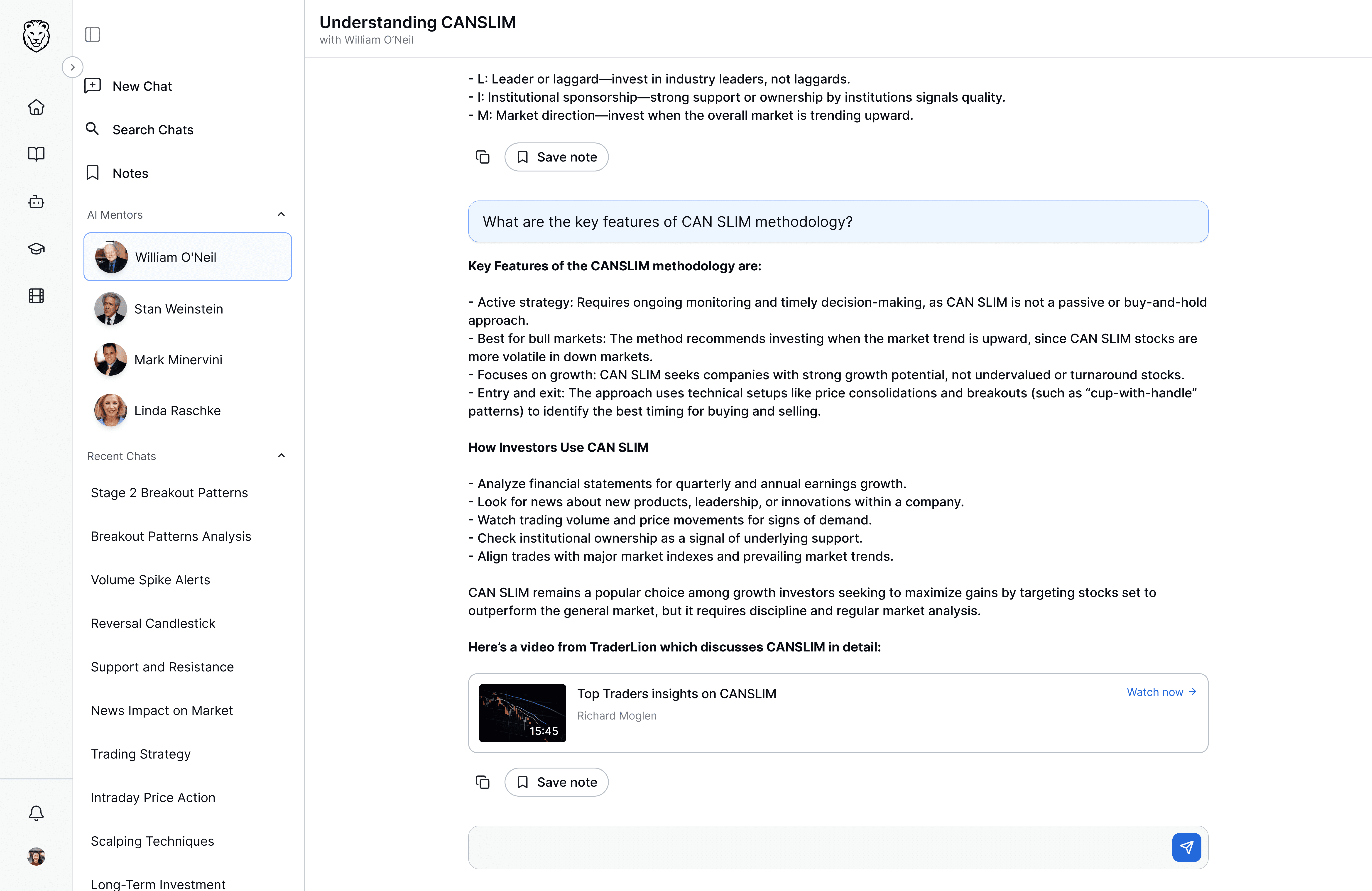
Added AI trading mentors as GPTs so users could learn through distinct expert perspectives rather than a single generic assistant.
Integrated AI directly into course videos and transcripts so users could ask questions in context without leaving the learning flow.


AI Ethics, Privacy & Trust




What I learnt
Structure needed more flexibility
States should start earlier
This project started with a lot of excitement for me because I had not worked on something this scoped before. Once I got into it, especially with AI becoming part of both the product and the process, I kept exploring. Claude and Figma Make were also getting better around that time, so it was an experiment with them and understand where they could speed things up.
One of the more challenging parts was creating a template for courses, because each course had its own sections. That's where I decided to add structure in few and make it flexible for others. Later in the project, I also started thinking more intentionally about different states across the platform, and that made me realize this kind of thinking needs to happen much earlier, especially when building a system for a large product.
Overall, loved every bit of this project as I continued to work on the mobile app (that's for another case study).