COMPANY
Deepvue
ROLE
Sole Product Designer
DURATION
Phased Evolution
TOOLS
Claude Code, Figma, Figma Make
Context
Deepvue is an all-in-one stock research and trading platform for US markets, combining real-time scanning, advanced screeners, customizable charts and watchlists for active traders.
GOAL
Turn Deepvue’s AI terminal from a passive chat experience into a more actionable part of the trading workflow.
Outcome
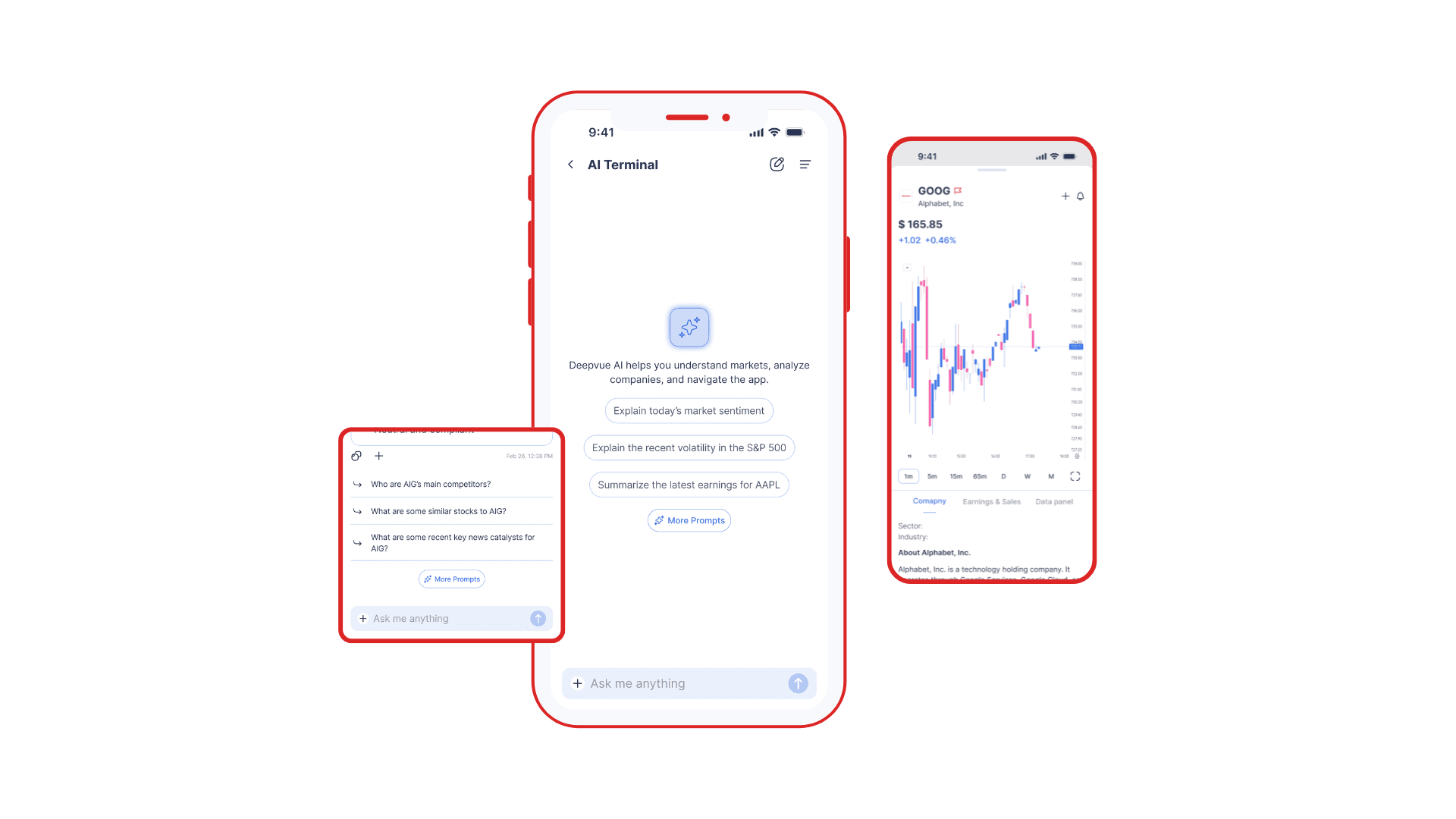
Evolved the AI Chat Terminal by adding tappable tickers that open glanceable views, watchlist actions, and a prompt library
Early-stage success signals: ticker taps from chat, watchlist adds from chat, prompt reuse.
Workflow Efficiency
Fewer steps from insight to action
Repeat Usage of AI
Saved prompts supported continued use
Not Actionable
Users manually searched for the tickers from AI outputs
Too Many Steps
Following up on AI results required extra steps that broke flow
No Personal Context
Couldn’t reference their saved watchlists or screeners in chat
No Reusable Prompts
Repeated prompts were used manually by users
Feature Deep Dives
A closer look at each feature that transformed the chat terminal
• Designed the end-to-end interaction model for chat → ticker → watchlist workflows
• Defined the prompt system structure (library, create, save, reuse)
• Created UI patterns and components for ticker chips, save actions, and prompts
• Iterated across phases through lightweight internal testing and engineering feedback
WHY
It helps users move from explanation to exploration without manually searching or leaving the conversation
WHY
If a user discovers a relevant stock through AI, they should be able to save it immediately—turning insight into action while staying in the same workflow
WHY
Trading questions are often tied to a user’s own setup, so adding watchlists and screeners to prompts makes AI responses more relevant and personalized
WHY
Questions were recurring, so a prompt library reduces repeated effort and helps users return to the workflows instead of starting from scratch each time
The Process
The Beginning
First version of the AI terminal answered questions well, but it didn’t connect to what users needed next


Opportunity Mapping
I looked at what users were likely to do next and found four clear opportunities: explore a ticker, save it in their watchlists or screeners, and reuse a prompt.

The goal was not to keep adding features to chat. I had to decide how far the assistant should go without making the experience feel disconnected from Deepvue.
I leaned toward product-native patterns, actionable outputs, and repeat workflows which users were already familiar with.

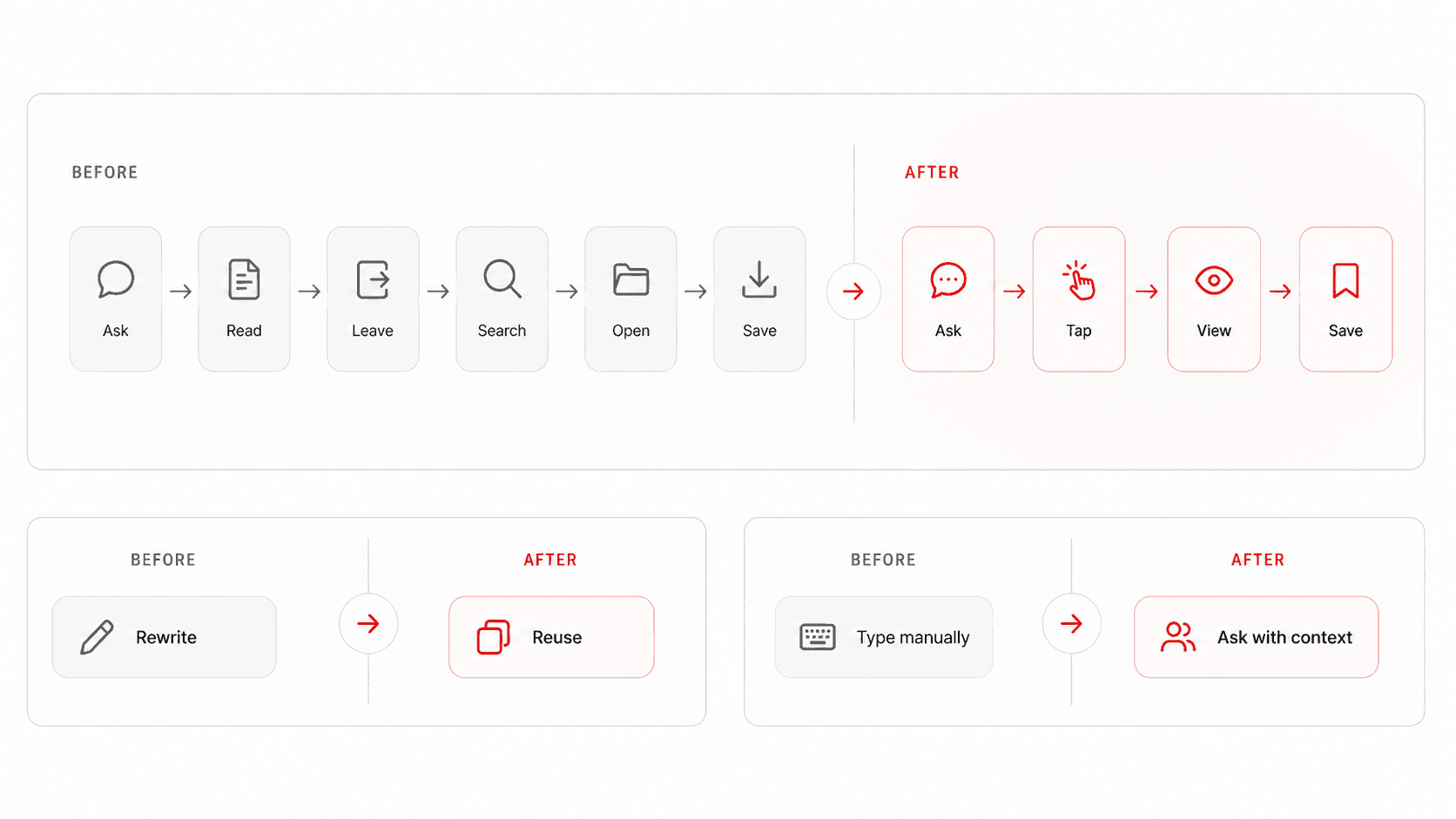
From Response to Action
The updated experience reduced the steps between getting an answer and taking the next action inside Deepvue.
Key Screens
Core AI assistant screens showing the main interaction patterns across the experience


WHAT I LEARNT
Reducing friction in workflows
How to make chats actionable
While AI chat is powerful, relying on it for repetitive tasks can sometimes be a friction point. Exploring how to make the AI output itself interactive was a new challenge for me. By prioritizing the user’s mental model and leveraging the 'glanceable view' patterns already established in the app, I landed on tappable tickers as the most intuitive, immediate interaction.
Moving forward, I want to explore how UI could be utilized for context-aware interactions which can be embedded directly within the response or end of response.